
Choosing the right streaming service feels overwhelming with dozens of platforms competing for your attention. Each service offers different content libraries, pricing tiers, and technical features that can make or break your viewing experience. The key lies in understanding what each platform delivers and matching those features to the streaming service for your needs.
Key Takeaways
- Compare streaming platforms by evaluating content libraries, pricing tiers, and technical features like 4K/HDR support.
- Choose between ad-supported and ad-free plans based on your budget and viewing tolerance for interruptions.
- Optimize your setup with proper internet speeds (25+ Mbps for 4K) and compatible streaming devices.
- Take advantage of subscription bundles and deals to access multiple services at reduced costs.
- Set up parental controls and multiple profiles to customize the experience for different household members.
Now let’s dive into the comprehensive streaming platforms comparison that will help you make an informed decision.
Essential Streaming Platform Features and Comparison

Source: Canva Pro
Streaming platforms compete on multiple fronts beyond just content selection.. The technical capabilities, user interface design, and subscription flexibility determine whether a platform fits your household’s viewing habits. Understanding these core features helps you prioritize what matters most for your entertainment setup and avoid content overload.
Device compatibility plays a crucial role in your streaming experience. Most major platforms support Roku, Fire TV, Apple TV, and Chromecast, but performance varies across devices.
| Platform | Monthly Price (Ad-Free) | 4K/HDR Support | Dolby Atmos Support | Offline Downloads | Simultaneous Streams |
|---|---|---|---|---|---|
| Netflix Premium | $22.99 | Yes | Yes | Yes | 4 |
| Disney+ Premium | $15.99 | Yes | Yes | Yes | 4 |
| HBO Max | $16.99 | Yes | Yes | Yes | 3 |
| Amazon Prime Video | $8.99 | Yes | Yes | Yes | 3 |
| Apple TV+ | $9.99 | Yes | Yes | Yes | 6 |
| Hulu (No Ads) | $18.99 | Limited | Limited | Yes | 2 |
Content Library Depth and Regional Availability
Source: Canva Pro
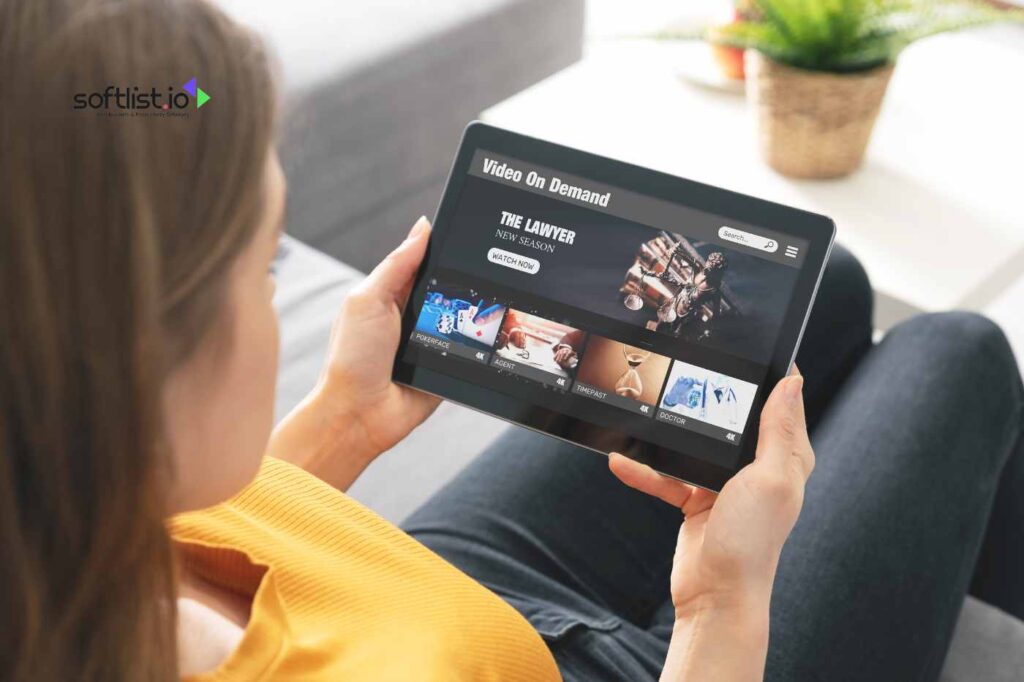
Each platform maintains different content strengths based on their production investments and licensing agreements. Netflix excels in international content and original series, while Disney+ dominates family entertainment and Marvel properties.
Regional content libraries vary significantly by geographic location. What you access in the United States differs from content available in Europe or Asia.
- Netflix offers the largest overall library with strong international programming
- Disney+ provides comprehensive family content plus Marvel and Star Wars franchises
- HBO Max delivers premium original series and Warner Bros. movie catalog
- Amazon Prime Video includes free shipping benefits with decent original content
- Apple TV+ focuses on high-quality original productions with smaller library
Technical Performance and Streaming Quality

Source: Canva Pro
Streaming quality depends on both platform capabilities and your internet connection speed. For reliable 4K streaming, you need consistent internet speeds of at least 25 Mbps, though 50+ Mbps provides better buffer protection.
Platform optimization varies across different streaming devices. Apple TV+ performs exceptionally well on Apple TV hardware, while Amazon Prime Video integrates seamlessly with Fire TV devices.
- Test your internet speed during peak viewing hours (7-10 PM)
- Enable automatic quality adjustment to prevent buffering issues
- Use wired ethernet connections for 4K streaming when possible
- Clear device cache regularly to maintain optimal performance
Let’s examine the critical decision between ad-supported and ad-free subscription plans.
Ad-Supported vs Ad-Free Plans: Making the Right Choice

Source: Canva Pro
Streaming services increasingly offer tiered pricing with ad-supported options that significantly reduce monthly costs. These plans typically cost $6-8 less per month but interrupt your viewing experience with 4-6 minutes of ads per hour. The decision comes down to your budget constraints and tolerance for commercial interruptions during content consumption.
Ad-supported plans often restrict certain features beyond just adding commercials. Many platforms limit offline downloads, reduce streaming quality, or restrict access to newest releases on their cheaper tiers.
Cost Analysis and Feature Limitations
- Netflix Standard with Ads: $6.99/month, includes most content with 4-5 minutes of ads per hour
- Disney+ Basic: $7.99/month, limited 4K content and no offline downloads
- HBO Max with Ads: $9.99/month, excludes Warner Bros. same-day movie releases
- Hulu with Ads: $7.99/month, interrupts shows with targeted advertising
- Peacock Premium: $5.99/month, includes live sports with commercial breaks
When Ad-Supported Plans Make Sense
Ad-supported tiers work best for casual viewers who watch 1-2 hours daily and don’t mind commercial breaks. Families testing new services often start with ad-supported plans before upgrading to premium tiers. Sports fans might prefer ad-supported live TV options since sports broadcasts naturally include commercial timeouts.
Consider your viewing patterns before choosing. Binge-watchers find ads particularly disruptive during multi-episode sessions. Understanding subscription bundles can dramatically reduce your total streaming costs.
Subscription Bundles and Deals That Save Money

Source: Canva Pro
Smart streaming consumers combine multiple services through official bundles or promotional deals to access more content at lower total costs. Disney offers the most popular bundle combining Disney+, Hulu, and ESPN+ for $14.99 monthly, saving approximately $8 compared to individual subscriptions. Wireless carriers like Verizon and T-Mobile frequently include streaming services as plan perks, effectively reducing your entertainment expenses.
Bundle deals change seasonally, with the best promotions typically appearing during Black Friday, back-to-school periods, and new platform launches.
Current Bundle Options Worth Considering
- Disney Bundle Trio: Disney+, Hulu, ESPN+ for $14.99/month (saves $8 monthly)
- Amazon Prime: Includes Prime Video plus shipping benefits for $14.99/month
- Apple One: Apple TV+, Music, iCloud storage for $16.95/month family plan
- Paramount+ and Showtime: Combined for $11.99/month (limited-time offer)
- YouTube Premium Family: Includes YouTube TV access for $22.99/month
Carrier and Credit Card Perks
Many wireless carriers bundle streaming services with unlimited data plans at no extra charge. T-Mobile includes Netflix Basic, Verizon offers Disney+ with select plans, and AT&T provides HBO Max with premium wireless tiers.
Credit cards increasingly offer streaming credits as cardholder benefits. Chase Sapphire Reserve provides $60 annual streaming credits, while American Express Platinum covers various entertainment subscriptions. Live TV streaming requires different considerations than on-demand content platforms.
Live TV and Sports Streaming Options

Source: Canva Pro
Live TV streaming services replace traditional cable by delivering broadcast channels through internet connections and powering live streaming for events, but they require higher internet speeds and offer different channel lineups. YouTube TV leads in channel variety with 85+ networks for $72.99 monthly, while Sling TV provides budget-friendly packages starting at $40 monthly with fewer channels. Sports fans need platforms that carry regional sports networks and offer 4K streaming for major events.
Sports streaming presents unique challenges since games air on multiple networks throughout seasons. NFL games appear on CBS, NBC, Fox, ESPN, and Amazon Prime Video depending on the matchup and time slot.
| Service | Monthly Price | Channel Count | Sports Networks | 4K Sports | Regional Sports |
|---|---|---|---|---|---|
| YouTube TV | $72.99 | 85+ | ESPN, Fox Sports, NBC Sports | Limited | Most markets |
| Fubo | $79.99 | 190+ | Regional sports focus | Yes | Extensive |
| Hulu + Live TV | $76.99 | 75+ | ESPN, Fox Sports | Limited | Select markets |
| Sling TV Orange + Blue | $55.00 | 50+ | ESPN, Fox Sports 1 | No | Limited |
| DirecTV Stream | $86.99 | 75+ | Regional sports networks | Limited | Yes |
Choosing the Right Live TV Platform
- YouTube TV offers the most reliable streaming with unlimited DVR storage
- Fubo specializes in sports with extensive 4K coverage and options to stream live international soccer
- Sling TV provides the cheapest option but limits simultaneous streams
- Hulu + Live TV bundles on-demand content with live channels effectively
- DirecTV Stream includes regional sports networks often missing from competitors
Sports-Specific Considerations
Different sports require different streaming strategies based on broadcast rights and seasonal schedules. NFL fans need platforms carrying CBS, NBC, Fox, ESPN, and Amazon Prime Video for complete coverage. NBA and MLB games often air on regional sports networks that many streaming services exclude from their channel lineups.
International sports fans benefit from specialized services like ESPN+ for soccer and tennis, or Peacock for Premier League matches. Setting up proper parental controls protects younger viewers while creating personalized experiences.
Parental Controls and Profile Management

Source: Canva Pro
Modern streaming platforms provide sophisticated parental control systems that filter content by age ratings, block specific titles, and set viewing time limits for different household members. Disney+ offers the most comprehensive family controls with separate kids’ profiles that completely hide mature content, while Netflix allows granular content filtering by individual movie and show ratings. Creating multiple user profiles helps each family member receive personalized recommendations without mixing viewing histories.
Profile management extends beyond parental controls to include viewing preferences, language settings, and accessibility options for different users. Each major platform supports 4-6 individual profiles per account, though simultaneous streaming limits still apply.
Platform-Specific Parental Features
- Disney+: Dedicated kids’ profiles with complete mature content blocking
- Netflix: Maturity ratings filter with PIN-protected profiles for adults
- Amazon Prime Video: Purchase restrictions and viewing history separation
- HBO Max: Kids’ profiles with curated age-appropriate content only
- Apple TV+: Screen time limits integration with iOS parental controls
- YouTube TV: Channel blocking and restricted mode for live content
Setting Up Effective Profile Systems
Create separate profiles for each family member rather than sharing accounts to maintain personalized recommendations and viewing restrictions. Use clear profile names and pictures to prevent accidental access to inappropriate content during family viewing sessions.
Enable PIN protection for adult profiles containing mature content, and regularly review viewing activity to ensure parental controls work effectively for your household’s needs. Technical optimization ensures you get the best possible streaming quality from your chosen platforms.
Optimizing Your Technical Setup for Best Performance

Your streaming experience depends heavily on internet connection speed, router placement, the streaming platform, and device capabilities working together effectively. Most streaming issues stem from insufficient bandwidth during peak usage hours when multiple household devices compete for internet resources. It is recommended to test your connection speed at different times throughout the day to identify potential bottlenecks that affect streaming quality.
Device compatibility varies significantly between streaming platforms and hardware manufacturers. Apple TV devices excel with Apple TV+ content but may struggle with some third-party apps, while Roku devices offer broader app compatibility but sometimes lack advanced audio features.
Internet Speed Requirements by Quality Level
- Standard Definition (480p): 3-4 Mbps per stream
- High Definition (1080p): 8-10 Mbps per stream
- 4K Ultra HD: 25-35 Mbps per stream
- 4K with HDR: 35-50 Mbps per stream
- Multiple simultaneous 4K streams: 100+ Mbps recommended
Device Optimization Tips
Position your router centrally in your home and avoid interference from other wireless devices operating on the same frequency bands. Use 5GHz WiFi networks for streaming devices when possible, as they typically offer better performance than crowded 2.4GHz bands.
Streaming device compatibility affects both performance and available features across different platforms.
Streaming Device Compatibility Guide
- Roku devices: Excellent app support, simple interface, works well with all major platforms
- Fire TV: Amazon integration, good 4K performance, occasional app conflicts with competing services
- Apple TV: Premium build quality, seamless iOS integration, higher price point
- Chromecast: Budget-friendly, requires phone/tablet control, limited standalone functionality
- Smart TV apps: Convenient but often slower updates and limited processing power
Audio and Video Quality Settings
Enable 4K and HDR in your device settings, but verify your TV supports these formats to avoid compatibility issues. Dolby Atmos support requires compatible soundbars or surround sound systems to deliver the intended audio experience.
Adjust streaming quality settings based on your internet connection reliability rather than maximum speeds to prevent frequent buffering interruptions. Understanding offline download capabilities helps you enjoy content without internet connections.
Offline Downloads and Mobile Viewing

Offline download features allow you to save content directly to your device for viewing without internet connections, perfect for travel, commutes, or areas with unreliable connectivity. Netflix, Disney+, and Amazon Prime Video offer robust download options across most of their content libraries, while HBO Max and Apple TV+ provide more limited offline access. Download quality settings let you balance file sizes against video quality based on your device storage capacity.
Mobile viewing presents unique considerations including data usage, screen size optimization, and battery life management during extended viewing sessions. Most platforms automatically adjust video quality based on your connection type to prevent excessive cellular data consumption. For additional insights, check out the law scholarship resource.
Download Capabilities by Platform
- Netflix: Extensive download library, multiple quality options, 7-day viewing window
- Disney+: Most content downloadable, good mobile optimization, 30-day storage limit
- Amazon Prime Video: Strong download support, varies by content licensing, flexible storage
- HBO Max: Limited download selection, focuses on original content availability
- Apple TV+: All original content downloadable, optimized for iOS devices
- Hulu: Download feature only available on ad-free plans
Managing Storage and Data Usage
Downloaded content consumes significant device storage, with 4K movies requiring 4-8 GB per title depending on length and compression. Regularly delete watched downloads to free up space for new content, and consider using external storage options on compatible devices.
Monitor your cellular data usage when streaming away from WiFi networks, as 4K streaming can consume 7+ GB per hour of viewing time.
Troubleshooting Common Streaming Issues

Buffering problems, poor picture quality, and audio sync issues frustrate viewers but usually have straightforward solutions related to internet connectivity or device performance. The most common culprit involves insufficient bandwidth during peak usage hours when your internet service provider experiences network congestion. Testing your connection speed during different times helps identify whether the problem stems from your home network or external factors.
Device-specific issues often require clearing cached data, updating apps, or restarting streaming hardware to restore optimal performance. Smart TV apps particularly suffer from memory limitations that cause sluggish performance over time.
Quick Fixes for Common Problems
- Frequent buffering: Lower video quality settings, restart router, check for background downloads
- Poor picture quality: Verify 4K/HDR settings, test internet speed, update device firmware
- Audio sync issues: Restart streaming app, check HDMI connections, adjust TV audio delay settings
- App crashes: Clear app cache, update to latest version, restart streaming device
- Login problems: Reset password, check account status, verify internet connection
When to Contact Support
Platform-specific issues that persist after basic troubleshooting may require contacting customer support for account-related problems or reporting widespread service outages. Keep your account information and device details handy when reaching out for technical assistance.
Document recurring problems with screenshots or error messages to help support representatives diagnose issues more effectively.
Final Recommendations
Your ideal streaming setup depends on balancing content preferences, budget constraints, and technical requirements specific to your household’s viewing habits. Families with diverse interests benefit from bundling Disney+ with Netflix or HBO Max, while sports fans should prioritize live TV services like YouTube TV or Fubo over traditional on-demand platforms. Budget-conscious viewers can start with ad-supported tiers and upgrade based on their tolerance for commercial interruptions.
With the variety of services available today, there’s something for everyone—whether you’re a movie buff, sports fan, or binge-watcher. Now that you’re ready to dive into the world of streaming, why not make it even better by getting deals and promotions? You can find great offers when you subscribe to our website—don’t miss out on some fantastic savings!
And if you’re looking to enhance your streaming setup even further, be sure to check out our Top 10 Website Video Player review article. It’s packed with insights to help you get the most out of your viewing experience. Happy streaming!
Frequently Asked Questions
What factors should I consider when choosing a streaming service?
When selecting a streaming service, consider content libraries, pricing options, technical features (like 4K/HDR support), device compatibility, and whether you prefer ad-supported or ad-free plans. Assessing these factors helps align the service with your viewing habits and preferences.
How can I optimize my streaming quality?
To enhance streaming quality, ensure your internet speed meets the requirements for your desired resolution, position your router centrally, and use wired connections when possible. Regularly clear device cache and update your streaming apps for optimal performance.
Are there ways to save money on streaming subscriptions?
Yes, you can save on streaming costs by bundling multiple services, taking advantage of promotional deals, or exploring carrier and credit card perks that offer streaming credits. Subscribing to ad-supported tiers can also lower your monthly expenses.
What parental control options are available on streaming platforms?
Most platforms offer parental control features that allow you to filter content by age, block specific titles, and set viewing time limits. Creating separate profiles for children can ensure they access only age-appropriate content while maintaining personalized recommendations for adults.




