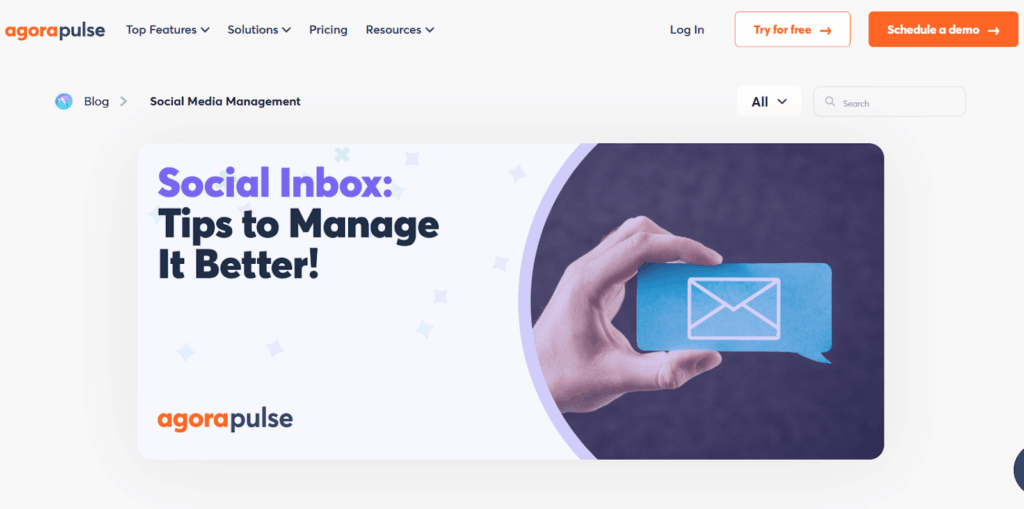
Agencies managing multiple clients across various platforms often struggle with chaotic workflows, slow response times, and inconsistent client communications. Agorapulse Social Inbox is designed to eliminate these pain points. Centralizing social media activity, streamlining repetitive processes, and enhancing collaboration allows agencies to improve efficiency, increase client retention, and demonstrate measurable value.
This guide guides social media managers through setup, customization, and best practices using Agorapulse’s Social Inbox. You’ll learn how to assign, tag, automate, and report on inbox items to ensure fast responses and consistent quality. Along the way, real-world examples and productivity metrics demonstrate how to tailor the Social Inbox to your agency’s unique workflows.
Key Takeaways
- Streamline social media engagement by managing all profiles in one unified inbox.
- Enhance team accountability by assigning clear messages and roles.
- Automate repetitive tasks with rules and labels for faster inbox processing.
- Showcase performance and ROI with real-time analytics and branded reports.
- Maintain productivity on the go using mobile access and CRM integrations.
Centralize All Client Conversations in One Unified Inbox
Source: Agorapulse
The first step to streamlining agency workflows is consolidating all social media conversations into a single system. Agorapulse makes this possible by allowing you to connect multiple social profiles—including Facebook, Instagram, Twitter, LinkedIn, TikTok, and YouTube—into one unified dashboard. This eliminates the hassle of switching between tabs or separate apps for each platform.
Key benefits of centralizing your inbox include:
- Unified visibility: Every DM, comment, review, and mention—organic or paid—is pulled into a single chronological feed, providing a holistic view of all interactions.
- Auto-refreshing interface: The inbox updates in real-time, with visual indicators and counters to show new activity as it arrives.
- Time-saving: By eliminating platform-hopping and reducing response delays, agencies report cutting response times by over 50%.
- Improved prioritization: With everything visible in one place, it’s easier to identify urgent items, track conversation threads, and assign them to the appropriate team members.
For agencies managing dozens or even hundreds of profiles, this level of consolidation is the foundation of an efficient, scalable social workflow.
Unlike physical conferences where you can end up sitting through content you just don't need, Social Success Summit 3.0 is delivered entirely online.

Assign Conversations and Clarify Team Responsibilities
Source: Agorapulse
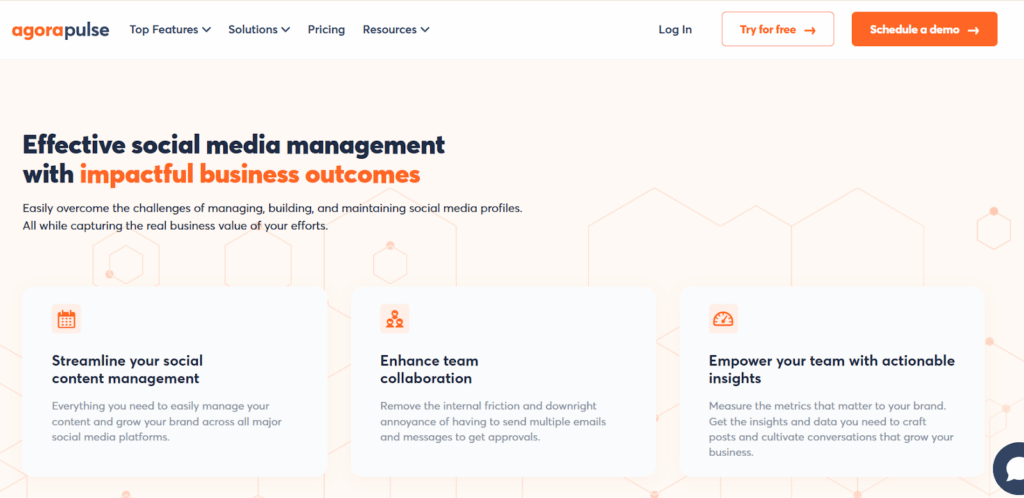
Efficient collaboration begins with clear task assignments. Agorapulse allows you to assign messages or threads to specific team members or groups with a single click, streamlining communication and eliminating confusion.
Use this feature to:
- Route complex inquiries to senior staff, compliance teams, or subject matter experts for proper handling.
- Request approvals or feedback from clients directly within the conversation thread.
- Balance workload by distributing tasks evenly among team members during periods of high volume.
Each assignee sees a dedicated view of their inbox, reducing the chances of double responses or missed messages. The complete assignment history is also logged, making team accountability transparent and audit-ready.
Control Access with Roles and Permissions
Source: Agorapulse
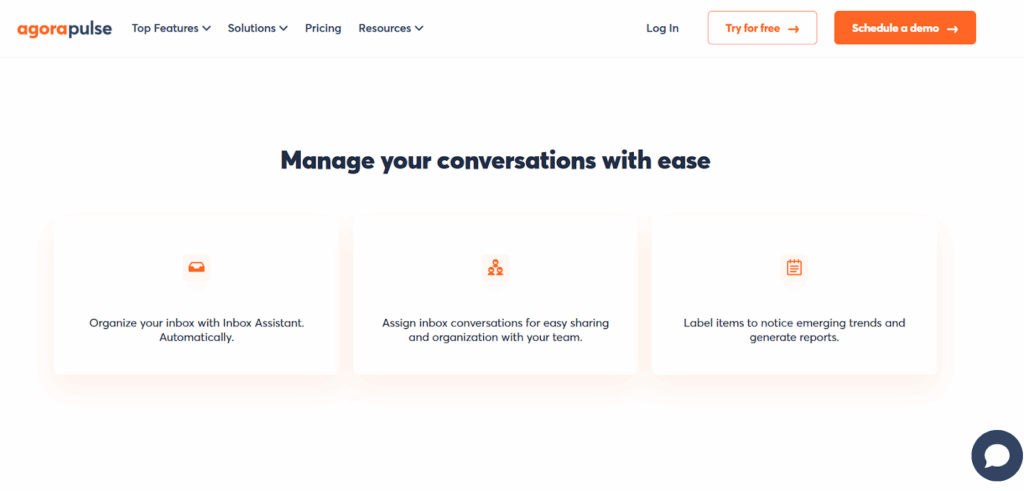
Agorapulse supports custom user roles, including Admin, Editor, Moderator, and Guest, which can be configured per profile.
- Restrict visibility to specific profiles based on client or department
- Limit who can respond, delete, or approve content
- Enhance security by keeping sensitive data only accessible to authorized users
This feature is vital for agencies that outsource or collaborate with freelancers, client-side stakeholders, or junior team members.
Tag, Organize, and Track Conversations
Source: Agorapulse
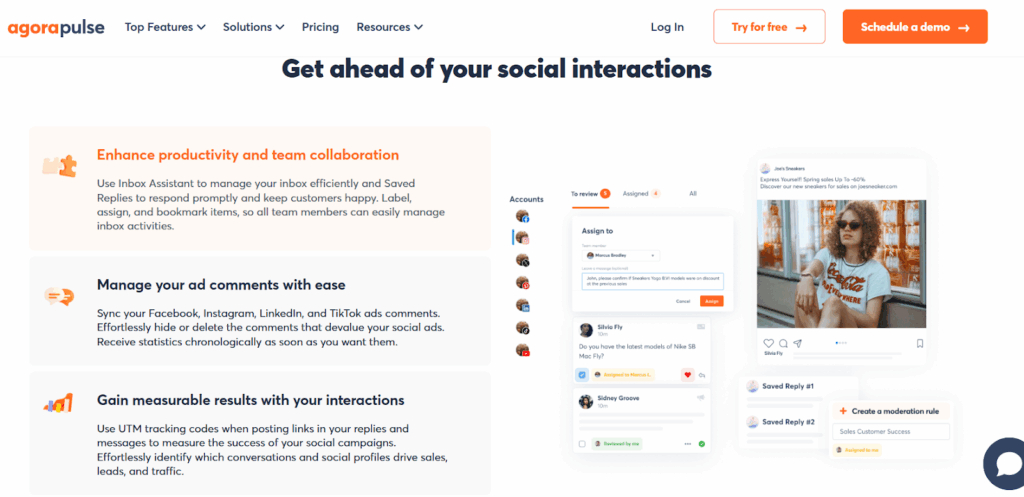
Proper organization drives efficiency. Use labels and internal notes to turn every inbox interaction into a trackable workflow item.
- Create labels like “Sales Lead,” “Urgent,” “Client Review,” or “Spam.”
- Color code labels for quick scanning
- Add internal notes for additional context, like client preferences or escalation steps
These tools make it easier for teams to categorize and follow up on the right messages at the right time—especially during high-volume periods.
Automate Your Inbox with Inbox Assistant
Source: Agorapulse
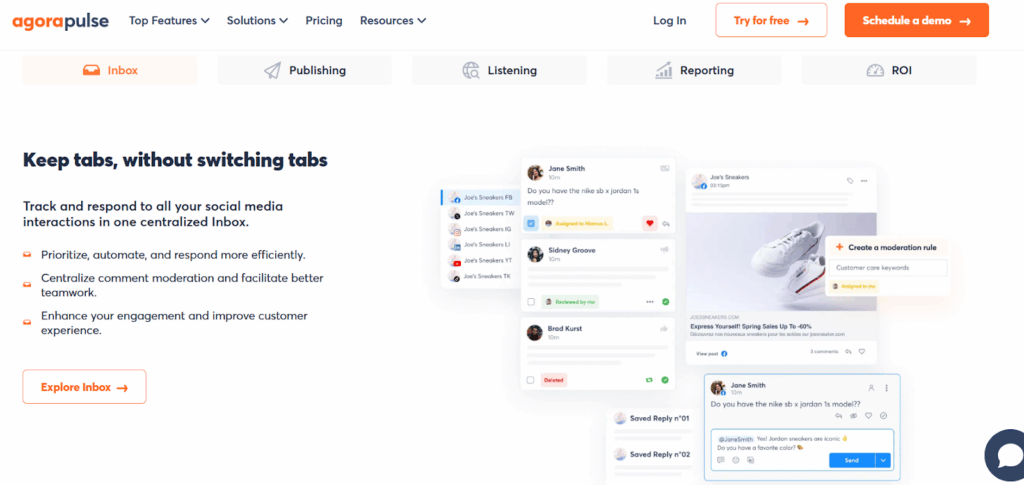
The Inbox Assistant enables you to create automation rules that significantly reduce manual sorting.
- Auto-assign messages containing specific keywords (e.g., “refund”) to the customer support team
- Auto-label common questions or repeat comments
- Filter spam or low-priority interactions out of your main feed
Rules can be configured per client, making the tool scalable for agencies managing accounts in different industries or niches.
Save Time with Bulk Actions and Response Templates

Source: Canva
For high-volume agencies, every click counts. Agorapulse offers bulk select functionality to manage multiple items at once:
- Mark several items as reviewed
- Assign in batches
- Apply or remove labels across threads
You can also create saved replies for common responses, ensuring consistency in tone and messaging across the team.
Find Conversations Fast with Search and Filters

Source: Canva
Speed matters when responding to time-sensitive messages. Agorapulse offers advanced filters and search capabilities:
- Filter by platform, label, assignee, or time period
- Search by keyword or username to pull up exact threads
Integrated CRM tools like Salesforce and HubSpot help agents see past interactions, lead scores, or lifecycle stages right beside each message.
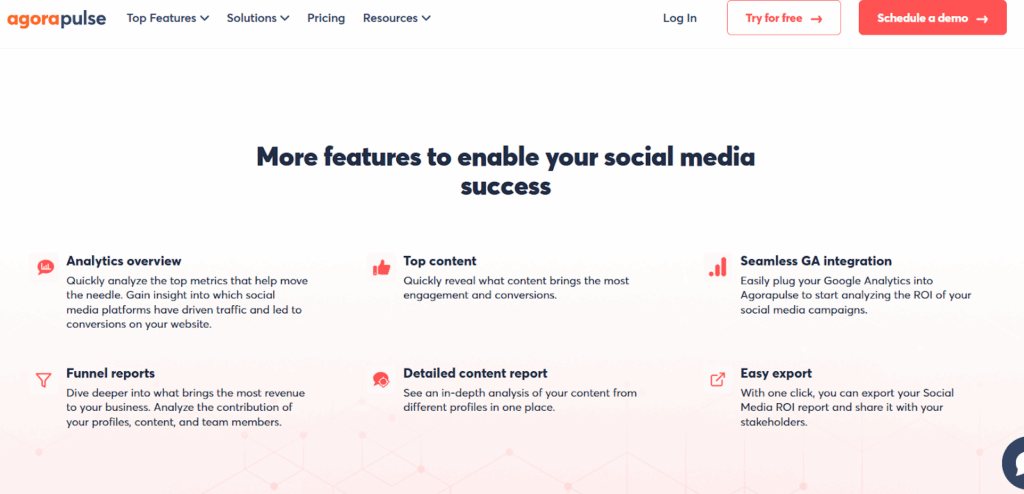
Analyze Engagement and Report on Performance
Source: Agorapulse
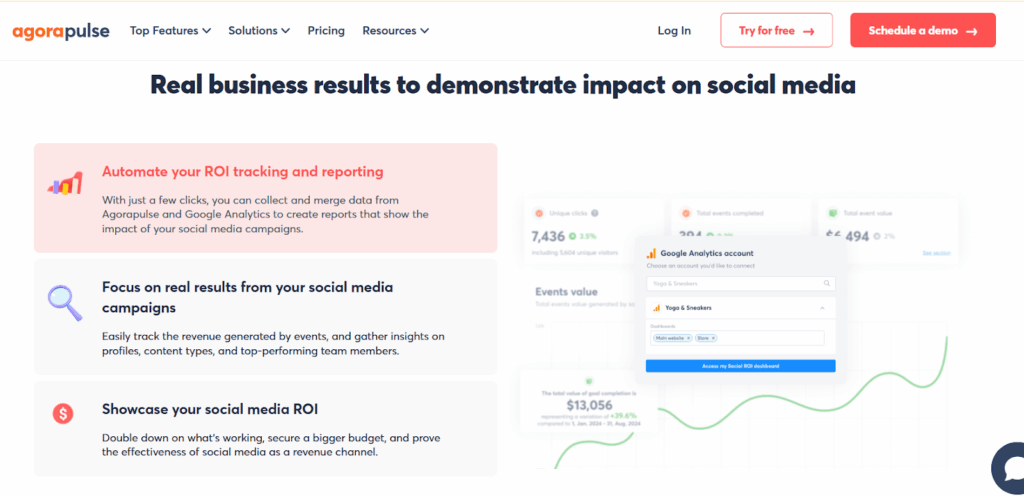
For agencies, demonstrating ROI is key to retention. With real-time analytics, you can:
- Monitor team and individual response times
- Track which labels or clients require the most attention
- Export branded reports for clients with key metrics pulled directly from inbox activity
Clients love seeing hard data that justifies their investment, and managers can identify areas for internal improvement.
Customize Inbox Views for Streamlined Management
Source: Agorapulse
Agorapulse provides flexible inbox views that adapt to your team’s workflow preferences—whether task-based or post-based. This distinction is important for teams that prioritize either speed or context in their response strategies.
You can manage conversations in two distinct modes:
- Incoming Items View: Displays all messages and comments chronologically across different posts and profiles, perfect for teams focused on rapid, task-oriented replies.
- Posts View: Groups messages by their parent post, allowing teams to assess overall conversation themes and community sentiment tied to specific content.
Additionally, you can:
- Use filters to refine inbox views by message type, action required, or date range.
- Choose sorting preferences (e.g., newest or oldest first).
- Quickly access assigned messages via the “Assigned to Me” tab or team-wide conversations under “All.”
This flexibility enables agencies to create an inbox workflow tailored to their operational priorities, whether focused on speed, strategy, or scale.
Stay Productive on the Go

Source: Canva
Agorapulse offers mobile apps for iOS and Android, enabling teams to stay connected and responsive even while away from their desks. Whether attending client meetings, working remotely, or traveling, team members can easily access their inbox and manage conversations in real time.
Key benefits of mobile access include:
- On-the-go approvals: Approve replies, posts, or team assignments directly from your phone.
- Instant message routing: Quickly assign or escalate time-sensitive issues no matter where you are.
- Real-time responsiveness: Reply promptly to high-priority inquiries to maintain excellent service levels.
This feature is especially valuable for agencies with distributed teams or those managing clients across time zones. It ensures nothing slips through the cracks—keeping productivity and client satisfaction high.
Real-World Impact: Client Testimonial
Source: Agorapulse
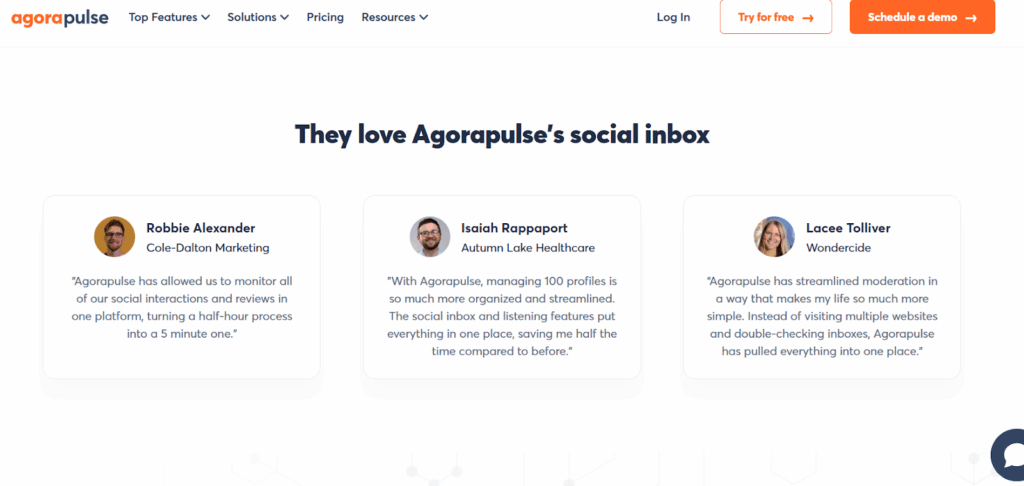
The true power of Agorapulse becomes evident through the voices of agencies that rely on it daily to manage complexity and deliver results.
“With Agorapulse, managing 100 profiles is so much more organized and streamlined. The social inbox and listening features put everything in one place, saving me half the time compared to before.”
This testimonial highlights the core value of Agorapulse for agencies juggling high client volumes. The ability to combine inbox management, social listening, and team collaboration in one interface not only boosts operational efficiency but drastically reduces time spent on manual tasks. For agencies under pressure to deliver timely, accurate service, this kind of time savings translates directly into improved performance and client retention.
Additional Tools to Elevate Your Social Inbox Workflow
Source: Canva
While Agorapulse is the centerpiece of your agency workflow, pairing it with the right complementary tools can extend its impact across planning, CRM, analytics, and publishing.
Tailwind
Tailwind is a social media scheduling and marketing tool tailored for visual platforms like Pinterest, Instagram, and Facebook, offering post planning, hashtag suggestions, and content optimization to boost engagement.
Create better marketing in half the time with a tool that writes for you, designs for you, and even gives you a plan for growth.

Later
A visually driven social media scheduler best known for Instagram planning, offering drag-and-drop calendars, analytics, and link-in-bio tools that complement Agorapulse’s engagement features.
Whether you're a social media pro or just getting started, Later has you covered. The best social media marketing app, influencer marketing management platform & Link in Bio tool.

Sendible
An agency-focused social media management tool with robust client dashboards, advanced reporting, and automation, positioned as both a complement and a direct competitor to Agorapulse.
Grow your audience, attract new customers, and reach your social media goals with an all-in-one platform.

SocialPilot
SocialPilot simplifies bulk scheduling, content planning, and team workflow coordination for high-volume publishing. Pairing it with Agorapulse ensures that your planned content is seamlessly monitored and managed after posting.

Conclusion
An optimized inbox isn’t just about faster replies—it’s about delivering consistent value, enabling team coordination, and maximizing every client touchpoint. With Agorapulse’s Social Inbox, agencies gain the tools they need to transform cluttered communication into a strategic, ROI-driven workflow. As social media demands continue to grow, mastering your inbox is no longer optional—it’s essential.
Looking for the best tools and deals to level up your digital marketing stack? Head to Softlist.io for unbeatable promotions and expert reviews. Discover the top-rated social media management tools and other powerful tools that help agencies deliver next-level content and performance.
FAQs
What Is a Social Inbox?
A social inbox is a tool that unifies messages, comments, and mentions across social media platforms into one dashboard. It enhances message monitoring and simplifies comment moderation for better team collaboration. This setup is ideal for agencies seeking a reliable inbox zero workflow.
Is There an App That Combines All Social Media?
Yes, Agorapulse is a unified social inbox that consolidates all social accounts for seamless access and response. It’s especially useful for managing multiple clients under a single dashboard. This greatly improves agency workflows by reducing platform juggling.
Does Agorapulse Have Social Listening?
Yes, Agorapulse includes social media monitoring tools to track brand mentions and audience sentiment. These insights help improve strategy and community engagement. It’s a vital feature for agencies aiming to stay ahead of industry conversations.
Can Messages Be Assigned to Specific Team Members?
Definitely. Agorapulse supports message assignment, making it easy to distribute tasks across your team. This ensures accountability and speeds up response times.
How Does Agorapulse Support Community Engagement?
Agorapulse makes community engagement easier by providing fast, structured responses. Its features empower teams to reply in real-time while keeping tone and brand voice consistent. This builds stronger relationships and trust with your audience.