AI art generators transform creative workflows by producing high-quality visual assets in minutes, enabling rapid prototyping and concept development that traditionally required hours or days. These tools accelerate design processes while reducing costs for marketing campaigns, product mockups, and content creation across industries. The AI art generator market reached $1 billion in 2025, with a projected 35% growth rate through 2033, driven by deep learning advances and increasing demand from professionals and hobbyists alike.
In this article, you’ll discover practical methods for integrating AI image generators into your projects, from selecting the right platform to optimizing prompts for commercial use. You’ll also learn workflow strategies that combine generative AI art with traditional design tools for professional results.
Key Takeaways
- Pick tools based on project needs, budget, and licensing—not hype.
- Write precise prompts with style, medium, aspect ratio, and use-case to get repeatable results.
- Embed AI images into pro workflows (Adobe, Figma, Canva, CorelDRAW) for final polish and brand consistency.
- Verify commercial rights per platform and document sources, dates, and plan tiers.
- Combine platforms for a smooth pipeline—from concept to edit to animation to scheduling—to save time and money.
Selecting the Right AI Art Generator for Your Project Needs
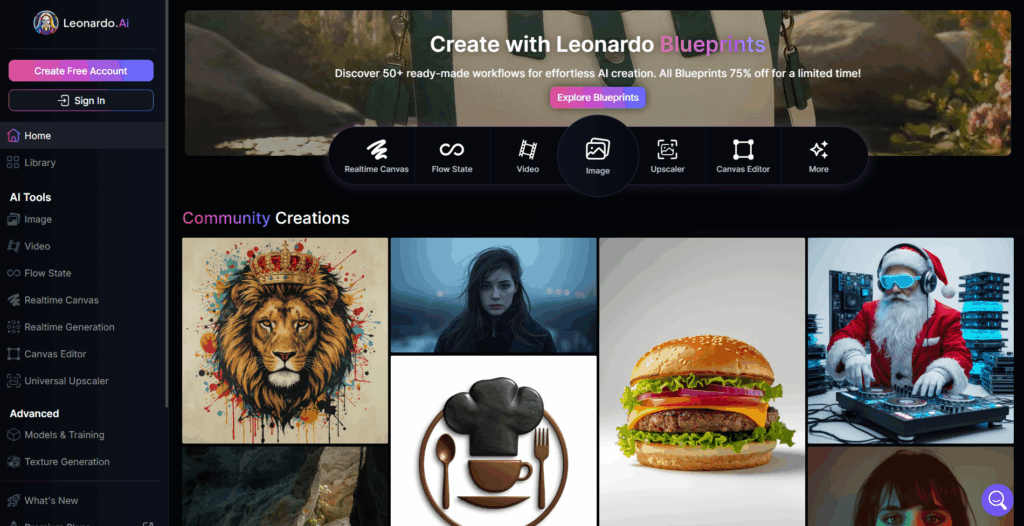
Image Source: Leonardo
Selecting the right AI art generator starts with aligning cost, quality, and licensing to your actual deliverables—not hype. Use each platform for what it does best and document how it fits into your production workflow.
Budget and Pricing Considerations
Free AI art generators like Stable Diffusion through various interfaces provide unlimited generations for budget-conscious projects. Premium platforms charge per image or offer subscription models ranging from $10-50 monthly, depending on generation limits and resolution options.
Stable Diffusion (via local or hosted UIs)
- Ideal for teams wanting low per-image cost at scale.
- Infrastructure and setup replace per-image fees, making it efficient for heavy users.
ImagineArt
- Positioned as an AI creative suite (images, videos, shorts, voice) with accessible plans.
- Good choice for solo creators or marketers who want multiple media formats in one place without enterprise-level pricing.
Why Choose Premium Platforms?
DALL-E, Midjourney, Leonardo, Firefly
- You pay for UX, reliability, support, and safer commercial positioning, which matters for agencies, brands, and client work.
- Best when “less friction + legal clarity” is worth more than raw cheapest output.
Discover an unprecedented fusion of simplicity and power, designed to cater to creative minds at all levels. Leverage generative AI with a unique suite of tools to convey your ideas to the world.
Output Quality and Style Matching
Evaluate each platform’s strength in producing your desired aesthetic before committing to a workflow. Adobe Firefly integrates seamlessly with Creative Cloud applications, while Canva’s AI features work best for social media and marketing content creation.
Adobe Firefly
Firefly is built for integration into Photoshop, Illustrator, Premiere, and Express, and trained (per Adobe) on licensed and curated datasets, positioning it as “commercially safer” for enterprises. Choose Firefly if your team already lives in Creative Cloud and you need on-brand, editable layers directly in those tools.
Canva AI (Magic Media / AI Image Generator)
Canva’s AI tools shine for social media, presentations, and marketing kits. You can generate images and instantly drop them into templates, carousels, and schedulers—perfect for non-designers and small teams who want fast, cohesive output.
Deep Art Effects
Deep Art Effects specializes in photo-to-art transformations using style transfer. It’s a niche but powerful option for posters, album covers, merch, or campaigns that need an “art filter” aesthetic instead of from-scratch generations.
Turn pictures or videos into works of art. You can also edit only the background or only the foreground. Use a variety of parameters to create your individual artwork. Render images in any resolution.
Commercial Usage Rights
Review licensing terms carefully, as they vary significantly between platforms and subscription tiers. Most premium services grant commercial usage rights, while free platforms may impose restrictions on business applications. According to industry reports, commercial AI art usage continues growing across marketing, e-commerce, and graphic design sectors.
When advising readers, you can frame it like this (without over-lawyering):
- DALL-E / GPT Image Models: Commercial use generally allowed on paid tiers under OpenAI’s terms; always confirm latest policy.
- Midjourney: Paid plans grant broad commercial rights; users must comply with current ToS.
- Stable Diffusion: Many model weights allow commercial use, but licenses vary (e.g., Stability’s community license vs. third-party checkpoints). Verify per model.
- Leonardo AI, ImagineArt, Canva, Firefly: Each has defined commercial terms; direct readers to official ToS and emphasize checking plan type before client use.
Create AI Art and turn your imaginations into reality with Imagine's AI Art Generator and produce stunning visuals to cover up your artistic thoughts.

Crafting Effective AI Art Prompts for Professional Results
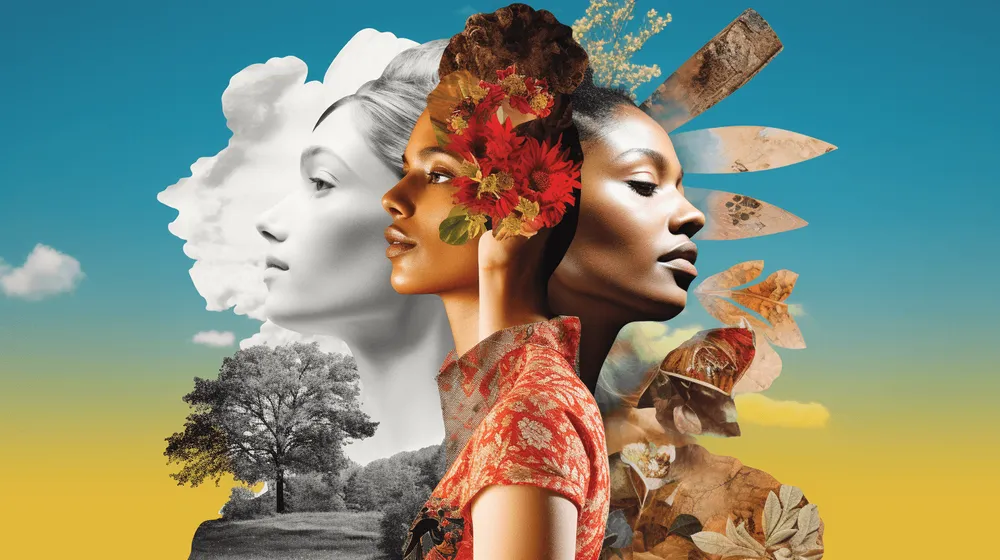
Image Source: gelato.com
Crafting effective prompts is about removing guesswork so your AI art generator behaves like a reliable designer, not a slot machine. Strong prompts tell the model what, how, and why—then you refine based on what it gives you.
Style and Medium Specifications
Use concrete style language so outputs are repeatable and brand-safe. Instead of “cool background,” say “minimalist gradient, soft lighting, vector-style, brand colors only.”
- DALL-E / GPT image models – Great for literal, on-brief visuals:
Scenario: “3D-rendered stainless steel coffee mug on white background, soft shadows, 4:5, studio product photo” for ecommerce listings. - Midjourney – Ideal for cinematic or stylized campaigns:
Scenario: “Moody cyberpunk city alley, neon reflections, volumetric lighting, anamorphic lens, 16:9” for hero banners or video thumbnails. - Simplified AI – Pairs style prompts with instant social/post layouts:
Scenario: “Flat illustration, friendly icons, purple and teal palette” dropped straight into a promo graphic template.
Technical Parameter Optimization
Tell the model how the image will be used so it delivers the right format the first time.
- Set aspect ratio (1:1 for IG, 9:16 for Reels/Stories, 16:9 for YouTube, 4:5 for product feeds).
- Use higher resolution for print or cropping flexibility; many tools let you upscale or re-generate larger.
Iterative Refinement Techniques
Treat each generation as a draft, not a final. Save what works and systematically tweak.
- Start broad → refine: adjust 1–2 elements (lighting, angle, color) per revision.
- Reuse winning prompts across DALL-E, Midjourney, and Simplified AI to compare outputs and lock a consistent visual system for campaigns, thumbnails, and ads.
- Keep a shared prompt library so your whole team can recreate “best-performing” visuals on demand.
Integrating AI Art Into Professional Design Workflows
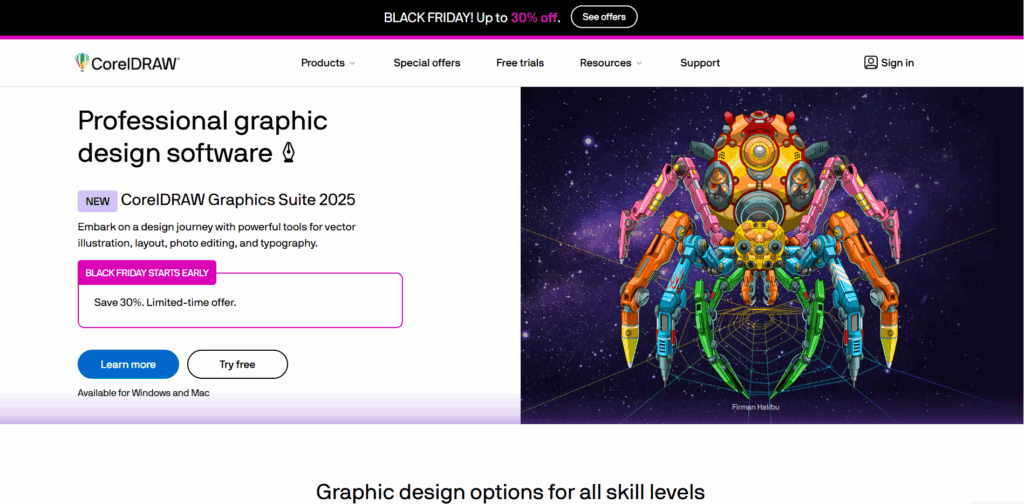
Image Source: CorelDRAW
AI art only becomes “professional” when it’s embedded into real design tools, review cycles, and brand systems. Think of generators as your fast concept layer—and platforms like Adobe, Figma, Canva, and CorelDRAW as where final assets are built.
Hybrid Workflow: From Prompt to Production
- Adobe Firefly + Photoshop/Illustrator
Generate backgrounds, composites, or object variations with Firefly, then refine layers, typography, and masks directly in Photoshop and Illustrator for campaigns, packaging, or print. - Figma + AI Art
Drop AI-generated visuals into UI mocks, landing pages, or design systems; use them as hero sections, icons, or concept art while keeping grids, spacing, and components intact. - Canva
Ideal for marketing teams: turn AI-generated images into social sets, ads, and decks in minutes with locked brand kits.
CorelDRAW as a Finishing Hub (Standout Use)
CorelDRAW Graphics Suite is powerful for vectorization, layout, and print-ready artwork. Import AI images, trace or mask them, add precise typography, and export in CMYK or large-format sizes for signage, brochures, or packaging.
- Use Corel PHOTO-PAINT to fix artifacts, colors, and details.
- Perfect for agencies and print shops needing strict control over output specs.
Post-Processing and Enhancement
- Always: adjust color, sharpness, skin tones, hands, and text before client delivery.
- Combine multiple generations (e.g., best face + best background) into one composite for higher quality.
Brand Consistency, File Management, and Collaboration
- Maintain a shared style guide + prompt library so every AI asset aligns with colors, fonts, and tone.
- Store files with tags for platform, rights, and campaign to simplify approvals and re-use.
- This system turns AI images from one-off experiments into a predictable, on-brand asset pipeline.
A quick side-by-side snapshot of the platforms mentioned in the guide helps you see which tools match your creative goals, budget, and workflow. Use it to shortlist a few options to test and build your ideal AI art stack.
| Platform | Best Use Case | Pricing Model (Summary) | Commercial Rights (Summary) | Key Strengths |
|---|---|---|---|---|
| DALL-E / GPT-image | Photoreal ads, product shots, editorial visuals | Pay-per-image via OpenAI API; also available in some ChatGPT/enterprise plans | Paid usage generally grants broad rights to use outputs commercially (per OpenAI terms). | Strong prompt following, clean photoreal output, API integration. |
| Midjourney | Stylized campaigns, concept art, moodboards | Subscription tiers (Basic, Standard, Pro, Mega) from ~$10+/month | Paid plans include commercial rights; must follow latest ToS. | Distinctive artistic styles, powerful community workflows. |
| Leonardo AI | Production assets, game/UI art, consistent sets | Free tier; paid tiers (e.g., Apprentice/Artisan/Maestro) starting around $10+/month | Paid plans support commercial use; check plan-specific terms. | Custom models, fine control, style consistency. |
| Stable Diffusion | Custom workflows, local/hosted, automation | Model access free; costs = infra/hosting; enterprise licenses for larger orgs | Community License allows commercial use under conditions (e.g., <$1M revenue); enterprises need proper license. | Open ecosystem, extensible, ideal for high-volume pipelines. |
| Adobe Firefly | On-brand assets in Adobe ecosystem | Free tier; standalone plans (around $9.99+/month) or bundled with Creative Cloud using credits | Firefly outputs from Adobe’s own models are designated for commercial use; verify per plan/model. | Deep Photoshop/Illustrator integration; brand-safe positioning. |
| Canva AI | Social posts, ads, presentations, quick visuals | Free + Pro subscriptions; AI usage included with plan limits | Users generally own outputs; allowed for legal use under Canva AI Product Terms. | Templates + scheduler + AI in one, non-designer friendly. |
| Simplified AI | All-in-one marketing (design, copy, social) | Free Forever plan; team/business plans from $30+/month | Offers commercial use subject to its platform terms. | Unified workspace for design, copy, video, publishing. |
| Deep Art Effects | Photo-to-art, offline & privacy-focused work | Subscriptions and lifetime licenses (e.g., from ~$9.90/month) | Outputs remain with user; offline processing favored for privacy. | Artistic filters, upscaling, local processing. |
| ImagineArt | Images + video/voice in one creative suite | Free access plus paid plans (e.g., Basic/Plus tiers) | Markets commercial-friendly usage; confirm specific plan terms. | Multi-modal suite (images, shorts, ads) in one tool. |
Specialized Applications and Niche Use Cases
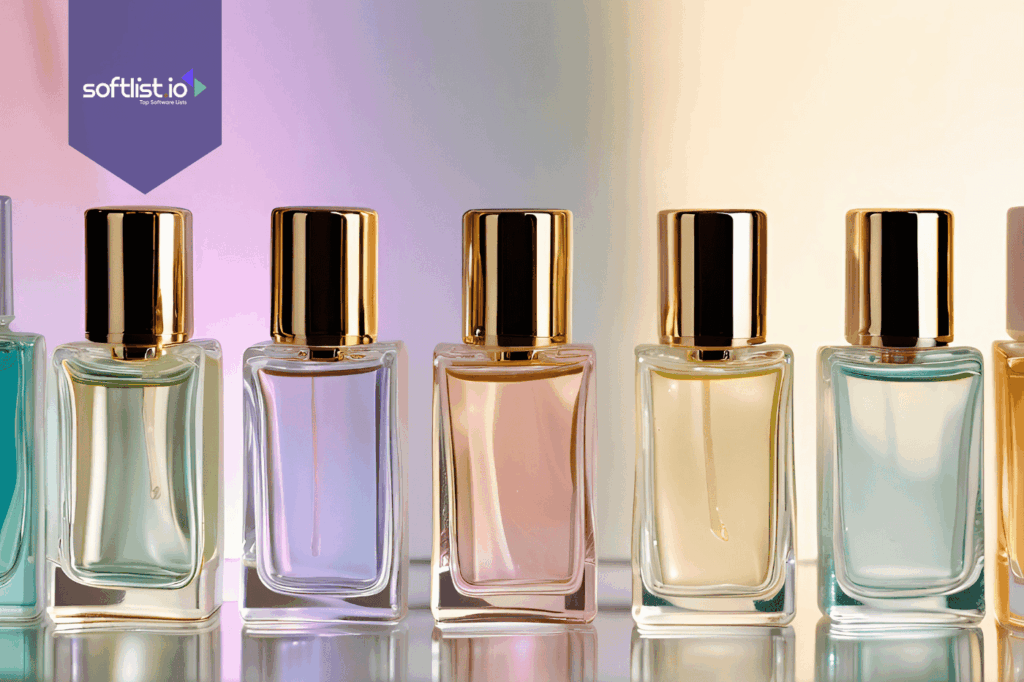
AI art generators serve specific industry needs beyond general creative applications, from logo design to specialized visual content creation. Marketing teams use these tools for rapid campaign asset generation, while e-commerce businesses create product mockups and lifestyle imagery. Understanding platform specializations helps match tools to specific project requirements and expected outcomes.
Logo and Brand Identity Creation
Generate initial logo concepts and brand identity elements using AI art generators as ideation tools rather than final deliverables. Refine AI-generated concepts through vector graphics software to ensure scalability and professional application across various media formats. Many designers use AI for initial inspiration before creating custom vector artwork.
Marketing and Social Media Content
Create consistent visual content for social media campaigns, blog headers, and marketing materials using AI-generated backgrounds and imagery. Maintain brand consistency through careful prompt engineering and post-processing techniques that align with established visual guidelines. Social media managers particularly benefit from rapid asset generation capabilities.
E-commerce and Product Visualization
Generate lifestyle imagery, product mockups, and contextual backgrounds for e-commerce applications where traditional photography proves costly or impractical. AI-generated environments and scenarios help showcase products in diverse settings without extensive photo shoots or location expenses.
Copyright Considerations and Commercial Usage Guidelines
AI art generators raise complex copyright questions that affect commercial usage and client project applications. Most platforms grant usage rights to subscribers, but terms vary regarding attribution requirements, resale restrictions, and derivative work permissions. Understanding these limitations prevents legal complications in professional applications and client deliverables.
Commercial AI art usage continues expanding across industries despite ongoing copyright debates, with businesses implementing clear usage policies and documentation practices. Review platform terms regularly, as policies evolve with changing legal landscapes and industry standards.
Platform-Specific Usage Rights
Each AI art generator maintains distinct commercial usage policies that affect how you can apply generated content in professional projects. Premium subscriptions typically include broader commercial rights compared to free tiers, which may restrict business applications or require attribution. Document usage rights for each asset in client projects to ensure compliance.
Client Communication and Transparency
Inform clients when AI-generated content appears in deliverables, establishing clear expectations about usage rights and potential limitations. Some industries or clients may prefer avoiding AI-generated content entirely, making transparency essential for maintaining professional relationships and project success.
Documentation and Attribution Practices
Maintain records of AI-generated assets, including platform source, generation date, and applicable usage terms for future reference. This documentation proves valuable for license verification, client inquiries, and potential legal compliance requirements as regulations continue developing.
Optimizing Creative Workflows With Multiple AI Platforms
AI art generators deliver the most value when they power your video, social, and content workflows—not as standalone toys. Assign each platform a clear role so assets move smoothly from concept to publish-ready output.
Use Case Alignment
- Midjourney or DALL-E → Runway / Pika Labs
Generate high-concept scenes, characters, and product shots, then animate them in Runway or Pika Labs for ads, reels, and explainers; creators frequently showcase Midjourney-to-Runway/Pika pipelines that slash production time and budget. - Stable Diffusion for YouTube & blogs
Build repeatable styles for YouTube thumbnails, Shorts frames, and blog graphics via local/hosted Stable Diffusion; guides and case studies report faster A/B testing and improved CTR from rapid variant generation. - Canva AI Image Generator for social systems
Create on-brand images, then push them directly into Canva’s Content Planner to schedule across channels—one prompt becomes a full carousel, story set, and banner kit in a single workflow. - Adobe Firefly + Creative Cloud for production
Use Firefly for commercially usable, style-consistent visuals, then finalize in Photoshop, Illustrator, or Premiere Pro for layered edits, motion, and print-safe exports.
Workflow Integration Tips
- Lock in a simple flow: Concept (Midjourney/Stable Diffusion) → Edit (Photoshop/Canva) → Animate (Runway/Pika) → Schedule (Canva/Meta tools).
- Save proven prompts, LUTs, and templates so teams can reproduce winning looks in seconds.
- Track tool, license, and model per asset to validate commercial rights and avoid disputes.
Softlist.io curates updated stacks, tutorials, and real campaign examples so teams can plug into workflows already proven in the wild.
Conclusion
AI art generators revolutionize creative workflows through rapid asset production and cost-effective visual content creation. Strategic platform selection, prompt optimization, and professional integration techniques maximize these tools’ potential in commercial applications. Success requires understanding platform strengths, copyright considerations, and systematic workflow development that combines AI efficiency with traditional design quality.
Ready to navigate the AI creative landscape with the right tools and strategies. Explore Softlist.io for exclusive deals on AI image tools that power sustainable, brand-safe workflows. Dive into our Top AI Art Generator guide to find ethical platforms that enhance—never replace—your creative expertise.
FAQs
How Do I Use An AI Art Generator?
To use an AI art generator, start by selecting a platform that suits your needs. Input your desired prompts or keywords, and adjust any settings or styles offered by the tool. Once you generate the artwork, you can usually download or export it for use in your projects. Remember to review the usage rights associated with the generated art to ensure compliance.
How Can I Use AI In My Project?
Integrate AI into your project by identifying tasks that can benefit from automation, such as data analysis, content creation, or customer service. Choose appropriate AI tools that align with your project goals, and leverage APIs or software platforms to incorporate AI functionalities. By testing and iterating, you can enhance the effectiveness of AI in your workflow.
How To Use Gen AI In Our Project?
Using generative AI in your project involves selecting a generative model suited for your specific needs, whether it’s for text, images, or other media. Define the parameters and input data for the model, and utilize it to create original content. Be sure to evaluate the outputs for quality and relevance, and consider how they fit into your overall project objectives.
How Is AI-Generated Art Used?
AI-generated art is used in various fields, including marketing, design, and entertainment. It can serve as inspiration, provide unique visuals for campaigns, or be incorporated into products and media. Additionally, artists and creators often use AI art to explore new creative avenues and enhance their artistic processes, making it a versatile tool in modern creative workflows.