
Manual workflows drain productivity and create bottlenecks that slow down teams across every industry. Quality assurance demands continue rising while resources remain limited, forcing businesses to seek smarter solutions. Automation apps offer the answer by transforming repetitive tasks into streamlined processes that save time and reduce errors.
Key Takeaways
- Automation apps eliminate manual workflows by connecting different software systems and triggering actions based on predefined rules.
- Leading automation platforms include GenFuse AI, Zapier, Make, Microsoft Power Automate, and AI-native tools like Lindy and Gumloop.
- Businesses achieve 60-80% time savings on repetitive tasks while improving accuracy and reducing operational costs through workflow automation.
- The right automation app depends on your technical expertise, integration needs, budget, and scalability requirements.
- Implementation success requires starting small, mapping existing workflows, and gradually expanding automation coverage across departments.
Understanding automation apps becomes essential as businesses compete in an increasingly digital landscape where efficiency determines success.
What Are Automation Apps and How They Transform Business Operations
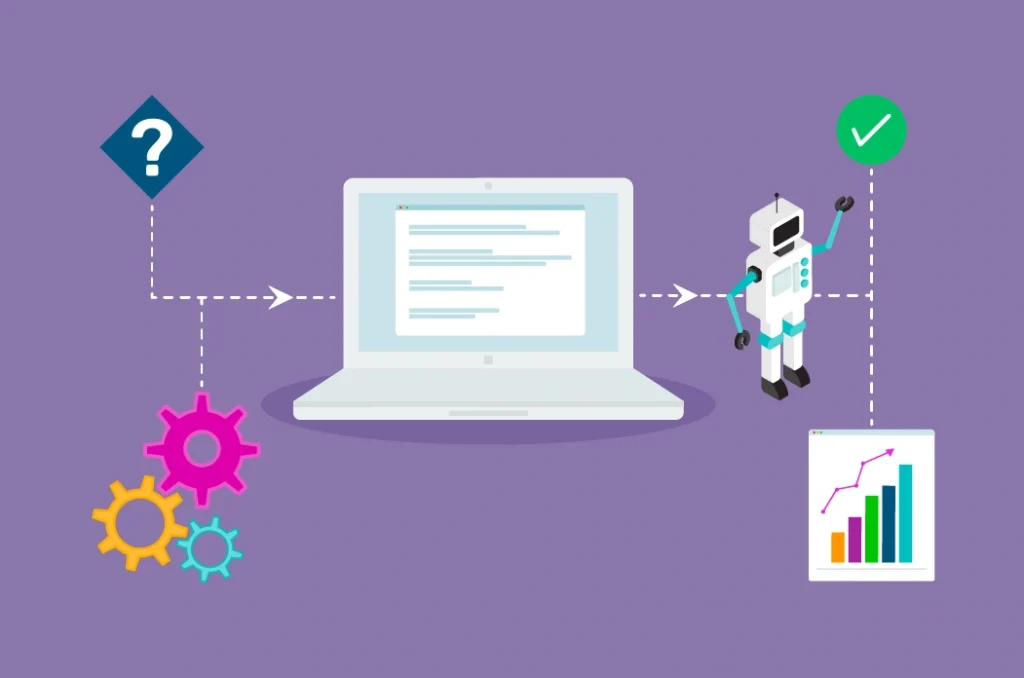
Automation apps serve as digital bridges that connect different software systems and execute tasks without human intervention. These platforms monitor triggers, process data, and perform actions across multiple applications using predefined rules and workflows. Modern automation software ranges from simple task schedulers to complex AI-driven systems that adapt and learn from user behavior.
The automation software list continues expanding as businesses demand more sophisticated solutions for workflow management. Free automation apps provide basic functionality for small teams, while enterprise solutions offer advanced features like machine learning integration and custom API connections.
Core Components of Modern Automation Platforms
Successful automation platforms share several fundamental elements that enable seamless workflow management. These components work together to create reliable and scalable automation solutions that adapt to changing business needs.
- Trigger Systems: Monitor specific events, time schedules, or data changes that initiate automated workflows
- Action Engines: Execute tasks like sending emails, updating databases, or moving files between systems
- Integration Hubs: Connect with hundreds of third-party applications through APIs and webhooks
- Logic Builders: Apply conditional statements, loops, and decision trees to create complex workflow paths
- Monitoring Dashboards: Track automation performance, error rates, and execution history
Types of Automation Applications
Different automation categories serve specific business functions and technical requirements. Understanding these distinctions helps teams select the most appropriate tools for their workflow challenges.
- Workflow Automation Apps: Focus on business process management and cross-departmental task coordination
- Integration Platforms: Specialize in connecting disparate software systems and data synchronization
- AI-Powered Tools: Use machine learning to make decisions and adapt workflows based on patterns
- Mobile Automation: Best automation app for android devices and mobile-first business processes
- Desktop Solutions: Automation apps for windows environments and legacy system integration
The evolution toward AI-native automation represents the next frontier in workflow optimization.
Key Benefits of Implementing Automation Apps
Automation apps deliver measurable improvements across multiple business dimensions by eliminating manual bottlenecks and human error. Organizations typically see immediate productivity gains while building a foundation for long-term scalability and growth. The compound benefits extend beyond simple time savings to include improved data quality, enhanced customer experiences, and reduced operational overhead.
Teams report significant stress reduction when automation handles routine tasks, allowing focus on strategic initiatives and creative problem-solving.
- Speed Enhancement: Complete tasks 10-50x faster than manual processes while maintaining consistency
- Accuracy Improvement: Eliminate human errors in data entry, calculations, and routine communications
- Cost Reduction: Lower operational expenses by reducing manual labor requirements and preventing costly mistakes
- Scalability Support: Handle increasing workloads without proportional staff increases
- Compliance Assurance: Maintain consistent adherence to regulatory requirements and internal policies
- 24/7 Operations: Execute critical processes outside normal business hours without supervision
Leading organizations achieve 60-80% time savings on repetitive tasks while improving overall service quality.
Real-World Applications Across Industries

Automation apps transform operations across diverse sectors by addressing industry-specific challenges and workflow requirements. Manufacturing companies use automation for quality control and supply chain management, while healthcare organizations automate patient scheduling and billing processes. Financial services leverage automation for compliance reporting and fraud detection, demonstrating the universal applicability of these tools.
The make com app and similar platforms enable non-technical users to create sophisticated workflows without coding expertise.
Testing and Quality Assurance Automation
Software testing represents one of the most impactful applications for automation technology. Testing teams use automation apps to execute repetitive test cases, generate reports, and manage bug tracking workflows across development cycles.
- Automated regression testing across multiple browsers and devices
- Continuous integration pipelines that trigger tests on code commits
- Performance monitoring and alerting systems for production environments
- Test data generation and environment provisioning
- Bug report creation and assignment to development teams
Marketing and Sales Process Automation
Marketing teams achieve significant efficiency gains through automation of lead nurturing, content distribution, and campaign management activities. Sales organizations use automation to qualify prospects, schedule follow-ups, and update customer relationship management systems.
- Email marketing sequences based on customer behavior and preferences
- Social media posting and engagement tracking across multiple platforms
- Lead scoring and qualification using predefined criteria
- Customer onboarding workflows with personalized communication sequences
- Sales pipeline management and opportunity tracking
Administrative and Operations Automation
Back-office operations benefit tremendously from automation apps that handle data processing, report generation, and inter-departmental communication. These workflows often involve multiple systems and require precise coordination to maintain accuracy.
- Invoice processing and approval workflows
- Employee onboarding and document management
- Inventory tracking and reorder notifications
- Expense report processing and reimbursement
- Customer support ticket routing and escalation
| Process Type | Manual Approach | Automated Approach | Time Savings | Error Reduction |
|---|---|---|---|---|
| Data Entry | Manual typing and verification | Automated data extraction and validation | 85% | 95% |
| Report Generation | Manual compilation from multiple sources | Scheduled automated reports with real-time data | 75% | 90% |
| Email Communications | Individual message composition and sending | Triggered email sequences based on actions | 80% | 85% |
| File Management | Manual organization and backup | Automated sorting, naming, and storage | 70% | 95% |
| Customer Support | Manual ticket routing and response | Intelligent routing and automated responses | 60% | 75% |
Understanding these applications helps teams identify the highest-impact automation opportunities within their organizations.
Top Automation Software and Platforms for 2025
The automation landscape features established players alongside innovative AI-native platforms that push the boundaries of what automated workflows can achieve. GenFuse AI leads end-to-end workflow automation with advanced artificial intelligence capabilities, while traditional platforms like Zapier and Make continue serving millions of users with reliable integration features. Microsoft Power Automate dominates enterprise environments through deep integration with Office 365 and Azure services.
Top automation software selections depend heavily on specific use cases, technical requirements, and organizational constraints.
Enterprise-Grade Automation Platforms
Large organizations require automation solutions that handle complex workflows, maintain security standards, and scale across departments. These platforms offer advanced features like custom connectors, detailed analytics, and enterprise-grade support.
- Microsoft Power Automate: Deep Office 365 integration with robust security and compliance features
- Workato: Enterprise-focused platform with advanced data transformation capabilities
- Kissflow: Business process management with workflow design and approval systems
- ActiveCampaign: Marketing automation with customer experience management features
User-Friendly Automation Tools
Small to medium businesses benefit from automation platforms that prioritize ease of use without sacrificing functionality. These tools enable non-technical users to create sophisticated workflows through visual interfaces and pre-built templates.
- Zapier: Largest app ecosystem with simple trigger-action workflow creation
- Make (formerly Integromat): Visual workflow builder with advanced logic and data manipulation
- Integrately: One-click automation templates for common business processes
- IFTTT: Consumer-focused automation for personal productivity and smart home integration
AI-Native Workflow Automation
The next generation of automation platforms leverages artificial intelligence to create more intelligent and adaptive workflows. These tools can make decisions, learn from patterns, and handle unstructured data more effectively than traditional rule-based systems.
- Lindy: AI-powered personal assistant for email management and scheduling
- Gumloop: No-code AI workflow builder with natural language processing
- Vellum.ai: AI application development platform for custom automation solutions
- Relevance: AI-driven data processing and workflow automation
- VectorShift: Vector database automation for AI and machine learning workflows
- Relay: Team collaboration automation with AI-enhanced decision making
These platforms represent the future of automation technology as artificial intelligence becomes more accessible to business users.
Framework for Choosing the Right Automation Apps
Selecting appropriate automation apps requires systematic evaluation of technical requirements, organizational constraints, and long-term strategic goals. Teams must balance functionality needs against implementation complexity while considering budget limitations and integration requirements. The decision framework should account for both immediate automation opportunities and future scalability needs as business processes evolve.
Successful automation adoption depends more on proper planning and gradual implementation than on choosing the most feature-rich platform.
Essential Evaluation Criteria
Smart automation app selection involves analyzing multiple factors that impact both short-term success and long-term value. These criteria help teams avoid common pitfalls and select platforms that grow with their needs.
- Integration Capabilities: Number and quality of pre-built connectors for existing software systems
- Ease of Use: Learning curve for non-technical team members and availability of templates
- Scalability Options: Ability to handle increasing workflow complexity and execution volume
- Pricing Structure: Cost per automation, user-based pricing, and additional feature charges
- Security Features: Data encryption, access controls, and compliance certifications
- Support Quality: Documentation depth, community resources, and customer service responsiveness
- Performance Reliability: Uptime guarantees, error handling, and execution speed
Implementation Strategy and Best Practices
Successful automation implementation follows a structured approach that minimizes disruption while maximizing adoption rates. Teams achieve better results by starting with simple workflows and gradually expanding automation coverage across departments.
- Workflow Mapping: Document existing processes and identify automation opportunities with highest impact
- Pilot Testing: Start with 2-3 simple automations to build confidence and demonstrate value
- Team Training: Provide hands-on training sessions and create internal documentation for common workflows
- Gradual Expansion: Add new automations monthly while monitoring performance and user feedback
- Performance Monitoring: Track execution success rates, time savings, and error reduction metrics
- Continuous Optimization: Regular review and refinement of existing workflows based on changing business needs
Organizations that follow structured implementation approaches achieve 40% higher automation adoption rates and faster return on investment.
Measuring Success and ROI of Automation Apps
Quantifying automation success requires tracking both quantitative metrics and qualitative improvements across affected business processes. Organizations measure direct time savings, error reduction rates, and cost decreases while also evaluating employee satisfaction and customer experience improvements. The most successful automation initiatives demonstrate clear return on investment within 3-6 months of implementation through reduced operational costs and increased productivity.
Comprehensive measurement strategies account for both immediate gains and long-term strategic benefits that compound over time.
- Time Savings Metrics: Hours saved per week on automated tasks and processes
- Error Reduction: Decrease in mistakes, rework, and quality issues
- Cost Savings: Reduced labor costs and operational expenses
- Productivity Gains: Increased output per employee and faster process completion
- Customer Satisfaction: Improved response times and service quality
- Employee Engagement: Reduced stress from repetitive tasks and focus on strategic work
Leading organizations report 200-400% return on investment from automation initiatives within the first year of implementation.
Complementary Platforms for Enhanced Automation

Several specialized platforms complement core automation apps by providing focused functionality for specific business areas. These tools work alongside primary automation platforms to create comprehensive workflow solutions that address diverse organizational needs.
ActiveCampaign
ActiveCampaign combines email marketing automation with customer relationship management features to create personalized customer experiences. The platform excels at behavioral-triggered campaigns and advanced segmentation for targeted marketing communications.
Key Features
- Behavioral email automation based on website activity and purchase history
- Advanced customer segmentation and tagging capabilities
- CRM integration with sales pipeline management
- A/B testing for email campaigns and automation sequences
- Detailed analytics and reporting for campaign performance
The email marketing, marketing automation, and CRM tools you need to create incredible customer experiences.


SEOClerks
SEOClerks provides a marketplace for SEO and digital marketing services that can be integrated into content automation workflows. The platform connects businesses with freelance specialists who handle specific marketing tasks as part of larger automation sequences.
Key Features
- Access to thousands of SEO and marketing service providers
- Automated order processing and service delivery tracking
- Quality assurance and review systems for service validation
- Bulk ordering capabilities for large-scale marketing campaigns
- Integration options with popular marketing automation platforms

Dropified
Dropified automates dropshipping operations by connecting online stores with suppliers and managing product imports, order processing, and inventory updates. The platform streamlines e-commerce automation for businesses using dropshipping fulfillment models.
Key Features
- Automated product importing from suppliers to online stores
- Order processing and fulfillment automation
- Real-time inventory synchronization across multiple channels
- Price monitoring and adjustment automation
- Customer notification and tracking information management
Use Dropified to find, import and sell profitable products from AliExpress, eBay, Alibaba + 75 other websites
Conclusion
Automation apps transform business operations by eliminating manual bottlenecks and reducing human error across critical workflows. The right automation platform depends on your specific needs, technical expertise, and integration requirements, with options ranging from simple task automation to AI-powered workflow intelligence. Success comes from starting small, measuring results, and gradually expanding automation coverage while maintaining focus on processes that deliver the highest return on investment.
Frequently Asked Questions
What is an automation application?
An automation application is software that executes tasks and workflows without human intervention by connecting different systems, monitoring triggers, and performing predefined actions based on rules and conditions.
What is the best automation tool?
The best automation tool depends on your specific needs, but popular options include Zapier for ease of use, Make for visual workflows, Microsoft Power Automate for enterprise integration, and GenFuse AI for advanced AI-powered automation.
What is the automate app?
The automate app typically refers to mobile automation applications that perform tasks on smartphones and tablets, such as scheduling actions, managing notifications, and connecting mobile apps through automated workflows.
What are automation softwares?
Automation software encompasses applications that streamline business processes through task automation, workflow management, system integration, and rule-based execution across various platforms and departments.
What are the 4 types of automation?
The four main types of automation are: fixed automation (repetitive tasks with consistent processes), programmable automation (batch processing with changeable instructions), flexible automation (adaptable workflows for varying requirements), and intelligent automation (AI-powered decision-making and learning capabilities).




