

Managing employee schedules effectively is a crucial part of maintaining a productive and balanced workplace. With many scheduling tools available, businesses can now streamline tasks like handling time clock entries, approving time off requests, and assigning new shifts.
Advanced, all-in-one employee scheduling and time tracking solutions make it easy to create schedules, manage time efficiently, and address challenges like employees who can’t work specific shifts. These tools not only simplify the process but also support work-life balance by ensuring fair and flexible schedules.
Whether you want to schedule shifts or include options for employee preferences, these job scheduling apps empower teams and managers to stay organized and connected. Explore how these innovative solutions can transform team management and boost workplace efficiency.
Key Takeaways
- Streamlined Scheduling: Job schedule apps simplify creating, adjusting, and managing time with features like all-in-one employee scheduling and time tracking.
- Improved Flexibility: These tools handle time off requests, assign new shifts, and accommodate employees who can’t work, promoting a healthier work-life balance.
- Enhanced Team Productivity: By providing clear schedules and efficient communication, job schedule apps empower teams to stay organized and focused on their tasks.
What Is Job Scheduling App and How Does It Work?
Tools like job scheduling software or apps can help you organize and automate how tasks and resources are planned and used in your business. These tools let you enter tasks, specifying how long they take, what resources they need, and how they depend on each other. Then, they automatically arrange these tasks into a plan you can handle.
This software often works with other programs you may have, giving you a calendar view and alerts to help you remember to meet goals and make the best use of your resources. These automation tools, like an appointment scheduling system, improve productivity by making it easier to assign and manage tasks, which cuts down on scheduling mistakes made by hand.
Benefits of Job Schedulers

Source: Canva Pro
Job schedulers offer a range of benefits that can significantly improve the efficiency and effectiveness of operations within an organization:
- Increased Efficiency: Automating the scheduling of tasks helps streamline processes, reducing the time and effort required to plan and coordinate different activities. This can lead to more work being completed in less time.
- Reduced Human Error: By automating the scheduling, job schedulers minimize the risks of human error, such as double-booking resources or overlooking essential tasks, which can lead to increased reliability and fewer mistakes.
- Better Resource Management: Job schedulers provide tools to effectively allocate and optimize the use of resources, such as personnel, equipment, and facilities. This ensures that resources are used efficiently and are not overburdened.
- Improved Compliance: For industries that require adherence to regulatory guidelines on work hours or operations, job schedulers help ensure that schedules comply with these regulations, avoiding penalties and legal issues.
- Enhanced Communication: Many job scheduling tools include features that enhance communication among team members by providing updates and changes to schedules in real-time, helping everyone stay informed.
- Scalability: As businesses grow, job schedulers can adapt to increased demands without significant changes in the process, making it easier to scale operations.
- Data Insights and Reporting: Job scheduling software often includes analytics and reporting capabilities that help you understand workflow patterns and resource utilization, enabling more informed decision-making.
Tips on Using a Job Scheduling App

Source: Canva Pro
Using a job scheduling app effectively can streamline your operations significantly.
Here are some expert tips on how to get the most out of your job scheduling software:
- Embrace digital tools to make job scheduling more accessible and more efficient. Choosing a job scheduling app that minimizes the need for repetitive data entry and simplifies workflow can greatly reduce administrative burdens and improve visibility across your operations.
- Utilize the software to monitor and prioritize urgent tasks. Job scheduling apps can alert you to high-priority jobs and facilitate quick adjustments to the schedule, ensuring that critical tasks are addressed promptly.
- Develop templates for routine tasks to boost efficiency and consistency. Templates can help ensure all necessary information and resources are prepared in advance, reducing errors and saving time.
- Customize your job templates with your company’s branding to maintain a professional image and help your team quickly recognize official documents.
- Incorporate GPS functionality to optimize routes and manage logistics more efficiently. This can help in reducing travel time and costs, increasing the number of jobs that can be completed in a day.
- Plan your scheduling by grouping jobs by location or type to minimize downtime and travel. This not only boosts productivity but also improves service delivery.
- Streamline your processes by integrating different systems to avoid entering the same information multiple times. This integration helps keep your data up-to-date and reduces the chances of errors.
- Set up your job scheduling software to handle routine communications like appointment reminders and follow-ups automatically. This frees up your team to focus on more important tasks.
- Give your engineers mobile access to the scheduling tools. This allows for real-time updates and enables your field staff to report back instantly, enhancing communication and efficiency.
- Implement self-service scheduling features so your customers can book their own appointments. This can significantly reduce your administrative workload and enhance customer satisfaction.
- Connect your job scheduling with inventory management to ensure that the necessary materials are always available for each job, improving your service’s efficiency and reliability.
- Use your software’s custom reporting capabilities to gain insights into various aspects of your business, such as operational efficiency and customer satisfaction. This data can help you make informed strategic decisions.
- Use automated notifications to inform your customers about their appointments, changes, and other relevant updates, improving overall communication and reducing no-shows.
- Explore advanced features like predictive analytics to anticipate busy periods better and prepare resources accordingly. This proactive approach can help you manage your workload more effectively during peak times.
Best Features of a Job Scheduling App
Source: Canva Pro
Intuitive User Interface
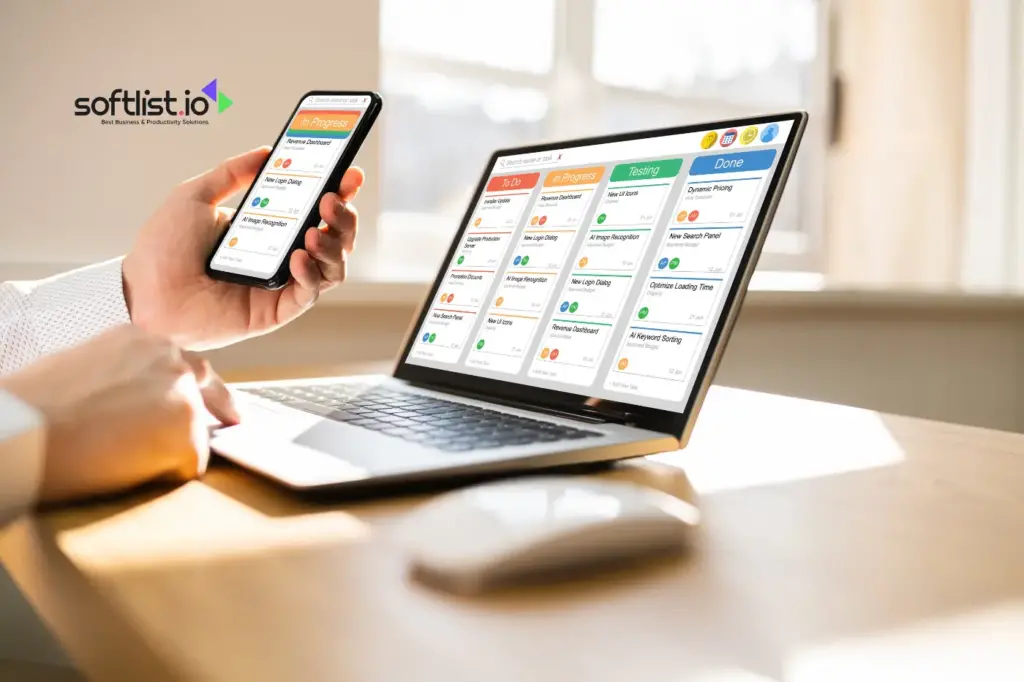
A user-friendly design is crucial for any job scheduling platform. It should let users easily navigate, add, edit, and view tasks and schedules without delay. This component enhances the user experience by simplifying the management of work orders.
Calendar Integration
Seamless integration with existing calendar systems like Google Calendar or Outlook helps to sync schedules and avoid conflicts. This ensures that no work order scheduling overlaps and every shift is covered.
Automated Scheduling
Automated scheduling capabilities also help optimize resource allocation by assigning tasks based on preset preferences and availability. This feature gets the job done more efficiently by reducing manual errors and distributing tasks evenly across the available workforce.
Real-Time Notifications
Stay updated with real-time notifications through push notifications, emails, or SMS alerts about upcoming tasks or any schedule changes. This immediate information transfer ensures that everyone on the team knows exactly what’s required at any given moment.
Multi-User Functionality
Support for multiple users to access and interact with the schedule is essential in a collaborative environment. It allows for easy sharing of details and updates, making it suitable for teams working on complex projects.
Customizable Views
Users can view the schedule in different formats—daily, weekly, or monthly—or filter by task type or priority, which helps track and manage work more effectively. This flexibility also helps in planning and resource allocation.
Task Prioritization and Categorization
It’s often necessary to set priorities for tasks and categorize them to streamline focus and workflow. This order of operations ensures that critical components are addressed promptly and efficiently.
Resource Allocation
Efficient management of resources such as personnel, rooms, or equipment is facilitated by sophisticated scheduling tools. These tools secure the necessary assets needed to get the job done.
Reporting and Analytics
The ability to generate detailed reports and analytics on task completion rates, time spent on tasks, and overall efficiency can provide invaluable insights into work order scheduling and shift management.
Mobile Compatibility
A mobile app or a mobile-friendly web version accessible on the go ensures that users can keep track of their tasks and schedules anywhere, making the platform highly flexible.
Cloud-based
Cloud storage ensures that schedules are backed up and accessible from any device, providing a secure and convenient way to manage work schedules in any environment.
Offline Functionality
The ability to function without internet access is crucial. It lets users view and manage their schedules offline, which is a significant advantage when connectivity is limited.
Time Zone Adjustments
For remote teams or international collaborations, automatically adjusting schedules according to different time zones is essential. This ensures that everyone is on track, regardless of their geographic location.
Privacy and Security
Strong security measures protect sensitive data, including encryption and user authentication protocols, making the platform both secure and trustworthy.
Integration with Other Tools
The capability to integrate with other productivity tools like email clients, task management apps, and project management software makes this app a versatile component in any professional environment.
Best Scheduling Software

|

|

|
|
3.5
|
3.5
|
3.5
|

Final Thoughts
Relying on pen and paper for managing schedules is no longer enough to keep teams efficient and organized. If you’re looking for a scheduling solution that goes beyond basic scheduling and integrates powerful scheduling tools with time and attendance tracking, job schedule apps are the answer.
Many platforms even allow you to take advantage of free trials, so you can explore their features before committing. Don’t miss the opportunity to streamline your processes, improve team management, and boost productivity—try out a scheduling app today and see the difference it makes for your team!
You can read our other informative blogs to learn more about Scheduling Software today.
Get Access to the Best Deals and Promotions!
Subscribe now to Unlock your Deals. Fill in the form to get started. We have curated a selection of exclusive deals and offers on top software products just for you. Save big with our special coupon codes and enhance your productivity, security, and creativity.
Frequently Asked Questions
What Is an Employee Scheduling App?
An employee scheduling app is software designed to facilitate the scheduling process for teams and staff. It allows managers to create, manage, and communicate work schedules effectively, ensuring that employee availability and labor costs are optimized.
How Can an Employee Scheduling App Improve Team Communication?
An employee scheduling app enhances team communication by providing a centralized platform where employees can view their schedules, request time off, and communicate shift changes. This reduces misunderstandings and helps teams stay informed about scheduling conflicts.
What Features Should I Look for in the Best Employee Scheduling App?
When searching for the best employee scheduling app, look for features such as time tracking, automatic scheduling, scheduling templates, the ability to manage time-off requests, and support for multiple locations. These features will streamline the scheduling and time-tracking processes.
Are There Free Plans Available for Employee Scheduling Software?
Yes, many employee scheduling software options offer a free plan with basic features. However, paid plans start at varying prices and typically provide more advanced management tools and functionalities, such as auto-scheduling features and enhanced team communication capabilities.
How Does an Employee Scheduling App Help with Labor Costs?
An employee scheduling app helps manage labor costs by allowing managers to track time and attendance efficiently. By optimizing shift scheduling and managing employee availability, businesses can minimize overtime expenses and ensure adequate staffing levels without overstaffing.
Can an Employee Scheduling App Accommodate New Employees Effectively?
Yes, employee scheduling apps are designed to make it easy to integrate new employees into existing schedules. Managers can quickly assign shifts, track time, and communicate with new staff members, ensuring a smooth onboarding process.
What Is the Significance of Scheduling Apps in 2025?
Scheduling apps in 2025 are significant as they will likely incorporate advanced technology such as artificial intelligence and machine learning to enhance auto-scheduling features, improve employee management, and provide even more effective scheduling and time-tracking solutions for businesses.
How Can Employees Request Time off Using an Employee Scheduling App?
Employees can request time off through the time-off requests feature within the app. They can select their desired dates, provide reasons for their requests, and submit them for manager approval, streamlining the entire time off process.
What Are the Benefits of Automatic Scheduling in Employee Scheduling Software?
Automatic scheduling in employee scheduling software simplifies the scheduling process by automatically assigning shifts based on employee availability, preferences, and labor regulations. This feature reduces the time spent on manual scheduling and minimizes scheduling conflicts.



