
Reply.io is an AI-powered sales engagement platform that helps sales teams and marketers automate and scale their multichannel outreach. It integrates email, LinkedIn, and other channels, making it easier to reach more people with personalized messages. This automation is key in today’s sales and marketing, allowing teams to work more efficiently while keeping a personal touch.
Reply.io provides detailed analytics to track performance and refine strategies. With flexible pricing, Reply.io offers a solution for businesses of all sizes, automating repetitive tasks so marketers can focus on more valuable work. Keep reading to learn more about Reply.io’s features, how it works, and how it can benefit your sales efforts.
Key Takeaways
- Reply.io automates and scales sales outreach across multiple channels, boosting efficiency.
- Integration with CRMs and detailed analytics help refine strategies and improve performance.
- Personalization and multichannel outreach increase engagement and conversions.
- Automation saves time, ensuring no prospect is overlooked.
- Start a free trial of Reply.io to boost your sales productivity with AI-driven strategies.
What is Reply.io?
Source: Reply.io
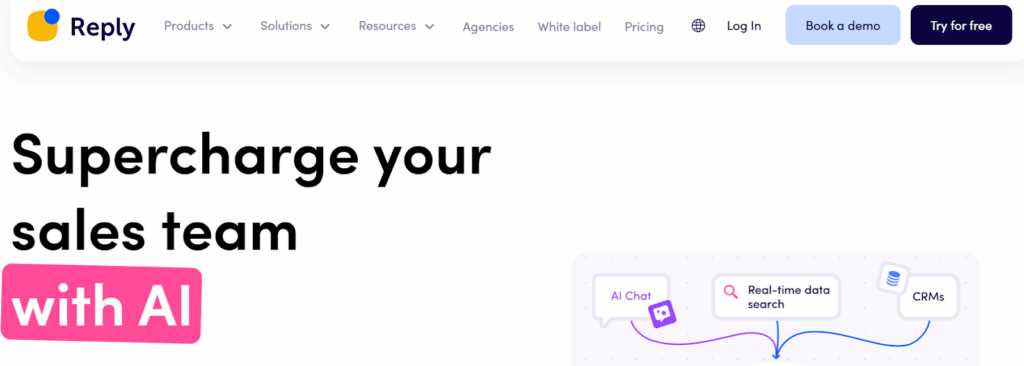
Reply.io is an AI-powered sales engagement platform designed to streamline outbound sales by automating outreach and improving results through personalized, multichannel sequences. Key features include AI-driven email generation, CRM integration, detailed analytics, and team collaboration, making it ideal for sales teams, marketers, agencies, recruiters, and business development professionals.
Setting Up Your Reply.io Account
Source: Reply.io
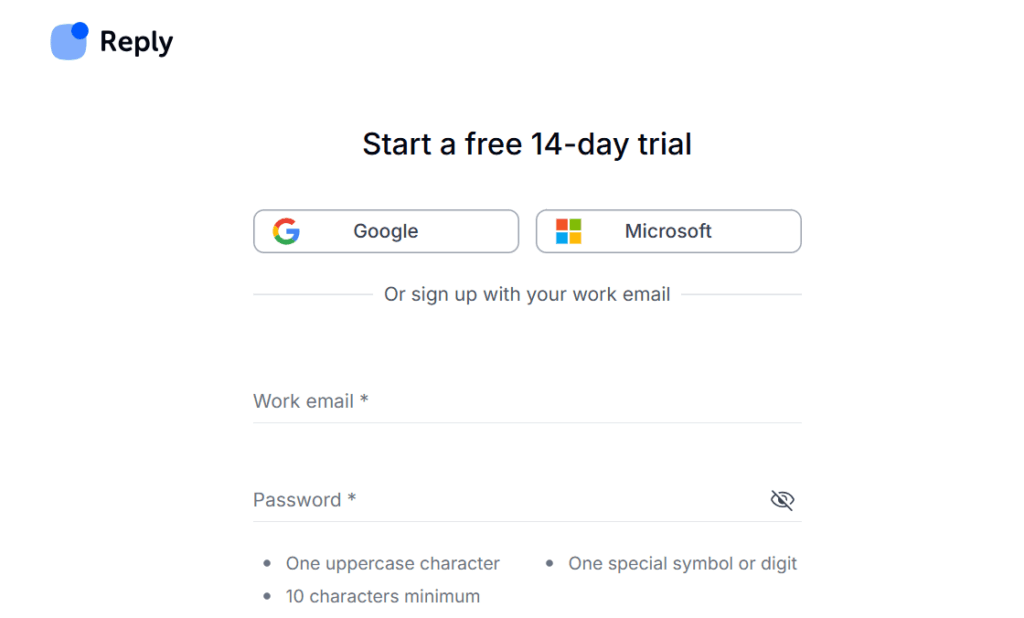
Setting up your Reply.io account is a simple process that involves signing up with Google, Microsoft, or an email address.
- Create an Account: Go to the Reply.io website and complete the Reply.io login by registering with your email address, Microsoft account, or Google account. Your Reply.io account will be created as a result.
- Select Your Usage Type: After registering, choose if you want to use it for agency or business purposes. By making this selection, the platform’s features will be tailored to meet your specific needs.
- Navigate the Dashboard: The primary interface will be displayed to you after you have successfully logged in. Key elements, including campaign creation, statistics, team collaboration, and settings, are all accessible through the dashboard. To become familiar with all the available tools, review the menu options.
Connecting Your Communication Channels

Source: Canva
Reply.io enables you to automate and customize your outreach by connecting several communication platforms.LinkedIn, CRM, and email can be integrated to build streamlined processes that connect with prospects across multiple channels. This improves your interaction with leads by guaranteeing that your outreach is effective and tailored to each individual.
1. Email Integration
Simply navigate to Reply.io’s integrations area and follow the instructions to link your account with your email provider, such as Gmail or Outlook. This Cold Email Software keeps your outreach structured by enabling you to send customized emails straight from the platform. Managing and monitoring all of your email correspondence is simple with the Reply.io dashboard.
2. CRM Integration
For seamless data transmission, Reply.io enables syncing with well-known CRM solutions like Pipedrive or Salesforce. Your contact details, lead statuses, and other crucial information will be seamlessly updated across platforms thanks to this integration. You can maintain regular contact with prospects and expedite follow-ups by integrating your CRM.
3. LinkedIn and Other Channels
You may manage outreach on Reply.io as part of your multichannel strategy by simply connecting your LinkedIn profile to the site. Reply.io allows you to send customized follow-ups, messages, and connection requests. Reply.io also facilitates alternative forms of communication, so you may connect with potential customers wherever they are.
Importing and Managing Contacts

Source: Canva
Importing and managing your contacts for efficient outreach is made simple using Reply.io. To keep your lists current, you can sync straight from your CRM or upload contacts from spreadsheets. You may communicate with your leads more effectively and personally by managing and grouping these contacts into specific categories.
1. Importing Contacts
You can import contacts by syncing directly with your CRM, such as Salesforce or Pipedrive, or by uploading your contact list via a CSV or Excel file. To prepare the contacts for usage in your campaigns, Reply.io automatically formats and arranges them. This guarantees that your outreach is founded on thorough and accurate data.
2. Organizing Contact Lists
You can create folders and organize your contacts using Reply.io according to lead status, job function, or industry. By arranging your contacts in this manner, you may send tailored messages to particular audiences. For campaigns to be successful and engagement to increase, this segmentation is essential.
3. Data Hygiene
For outreach to be successful, contact lists must be kept up to date and compliant. To increase your deliverability rates, update your contacts frequently to get rid of duplicates, invalid emails, and inactive leads. To keep your lists up to date and in compliance with laws like GDPR, use Reply.io’s data hygiene solutions.
Creating and Customizing Outreach Sequences

Source: Canva
Outreach sequences are a set of automatic actions that assist you in gradually interacting with potential customers. They let you save time and give each lead a customized experience by streamlining your communication process. You may maximize the impact of your outreach approach by developing and modifying sequences.
1. Sequence Basics
Sequences are multi-step, automated campaigns that direct your outreach via phone calls, emails, and other channels. They are made to guarantee that every prospect is regularly nurtured with pertinent and timely follow-ups. Sequences are useful for sustaining engagement and boosting conversion rates.
2. Three Ways to Build Sequences
Discover three effective methods for creating sequences that align with your outreach goals and strategy.
2.1 From Templates
Reply.io provides pre-built templates for common outreach scenarios, saving you time when setting up campaigns. These templates are customizable to suit your needs, allowing for quick deployment. You can also share templates across your team to maintain consistency in outreach efforts.
2.2 From Scratch
Building sequences from scratch allows you to customize every step, message, and channel. You can choose the best methods and frequency of contact, tailoring each element of the sequence to your specific audience. This approach gives you full control over your outreach strategy.
2.3 Using AI (Magic/JSON AI)
Reply.io’s AI features, like Magic and JSON AI, allow you to generate personalized and human-like messages automatically. With AI-generated content, you can create complex multi-step sequences that feel authentic to each lead. This technology enhances personalization, increasing the effectiveness of your outreach.
3. Multichannel Approach
Outreach initiatives using email, phone calls, LinkedIn, SMS, WhatsApp, and tasks are all combined in a multichannel strategy.
- By doing this, you can increase the likelihood that prospects will interact with you by reaching them through the channels that they prefer.
- You can maximize your outreach efforts and accommodate varying communication preferences by broadening your approach.
4. Personalization
Deep personalization is possible with Reply.io by customizing messages with dynamic tags, variables, and AI recommendations.
- This increases relevance and engagement by allowing you to speak with each prospect separately.
- By giving each communication a more unique and considerate feel, personalized messaging increases response rates.
Launching and Managing Campaigns

Source: Canva
Creating a carefully thought-out sequence and configuring automated follow-ups for regular outreach are essential components of starting and running campaigns on Reply.io. You can optimize your campaigns for increased engagement and conversions by utilizing features like scheduling, automation, and A/B testing.
Scheduling
You can schedule meetings, send emails, and follow up with prospects at the most effective times. Follow-up cadences can be adjusted to fit the prospect’s preferred response window or time zone. This feature maximizes the likelihood of engagement by ensuring that your messages are sent at the appropriate moment.
A/B Testing
To determine the most successful combinations, you can use A/B testing to test various subject lines, email content, and call-to-action buttons. You can enhance the effectiveness of your campaign and improve your messaging by examining the outcomes of different tests. Your outreach is optimized for higher conversion rates with this data-driven strategy.
Automation
You can create automated task flows and follow-ups with Reply.io’s automation features to maintain the efficiency of your campaigns. You can make sure that no prospect is overlooked with automated follow-ups, even if they don’t reply right away. You can save time and engage more leads with this hands-off approach.
Tracking, Analytics, and Optimization

Source: Canva
Reply.io’s tracking, analytics, and optimization tools offer insightful information about how well your outreach efforts are performing. You can keep an eye on email exchanges, assess team performance, and adjust tactics for improved outcomes with these features.
1. Email Tracking
You can monitor key metrics, such as open rates, click-through rates, and replies, by using email tracking. You can use this information to determine how well your call-to-actions, content, and subject lines are working. You can modify your messaging to enhance the overall effectiveness of your campaign with the help of these insights.
2. Analytics Dashboard
The analytics dashboard on Reply.io offers a thorough look at individual, team, and sequence performance. It shows important metrics like conversion results, follow-up effectiveness, and response rates. You can spot trends, improve your campaigns, and monitor your progress over time with the aid of this thorough overview.
3. Reporting
You can examine important data points, like meeting reservations and response rates, and export campaign statistics using the reporting features. You can use this information to improve your outreach tactics and pinpoint areas that need work. You can make data-driven decisions to maximize your upcoming campaigns by examining reports.
4. Continuous Improvement
You can keep refining your outreach efforts by using the information obtained from email tracking and reporting. Based on performance insights, modify your messaging, expedite send times, and try out various communication channels. Your campaigns will continue to be successful and relevant over time thanks to this iterative process.
Team Collaboration and Workflow Management

Source: Canva
To make outreach efforts more efficient, Reply.io provides a set of tools for team collaboration and workflow management. Everyone stays on the same page thanks to features like collaborative campaign building, team member management, and template sharing.
1. Team Features
Teams can easily work together on campaigns, manage roles, and share templates with Reply.io. You can make sure that the appropriate person is in charge of every part of the campaign by designating various members to particular tasks. This cooperative strategy guarantees that campaigns are carried out effectively and promotes productivity.
2. Task Management
Reply.io assists teams in managing daily tasks and reminding each other of crucial follow-ups through Task Flow. This guarantees that nothing is missed and that all of the tasks are finished on schedule. Task management increases team accountability and keeps workflows organized.
3. Unified Prospect and Campaign Management
All team members will have access to the same campaign progress and prospect data thanks to Reply.io. You can break down silos and maintain team alignment by centralizing tracking and communication. This cohesive strategy avoids misunderstandings between campaigns and encourages efficiency.
Integrations and Advanced Features

Source: Canva
Reply.io streamlines processes and guarantees seamless data synchronization with its strong integrations with CRMs, LinkedIn, and other platforms. By facilitating smooth platform-to-platform communication, these integrations lower manual labor and boost output.
CRM, LinkedIn, and Other Tool Integrations
Reply.io syncs data and expedites your sales processes by integrating with LinkedIn and well-known CRM platforms. This eliminates the need for manual data entry and guarantees that all of your prospect and lead information is updated across platforms. You can develop a more effective and unified outreach strategy by integrating these tools.
API and Zapier
You can automate data transfer and build unique workflows between platforms with Reply.io’s API and Zapier integration. You can create customized automation sequences that meet your unique business requirements thanks to this flexibility. You can increase overall efficiency and concentrate more on high-value activities by automating repetitive tasks.
Advanced Personalization and AI Tools
Reply.io assists you in creating highly customized messages that more successfully engage prospects with its sophisticated personalization features and AI tools. AI-powered solutions evaluate information and recommend content to improve communication and targeting. This customized strategy increases productivity and raises the likelihood that you will forge closer bonds with leads.
Best Practices and Tips for Success

Source: Canva
You can greatly increase outreach success and engagement by incorporating best practices into your Reply.io campaigns. You can improve the effectiveness of your campaigns by concentrating on data hygiene, personalization, warming up email accounts, and using analytics.
1. Warming Up Email Accounts
It’s crucial to warm up your email accounts to prevent spam filters from identifying them. Increasing your sending volume gradually guarantees that your emails end up in inboxes rather than spam folders and helps to improve your sender reputation. Maintaining deliverability and increasing engagement depend on this step.
2. Personalizing Every Touchpoint
Stronger engagement with prospects and increased response rates are largely dependent on personalization. You can give each communication a sense of relevance and individuality by personalizing every touchpoint, from subject lines to body text. Personalized outreach demonstrates to potential customers that you respect their time and are attending to their particular needs.
3. Regularly Updating and Cleaning Contact Lists
Keep your contact lists up to date and clean for continued successful outreach. Eliminating invalid or inactive emails increases deliverability rates and guarantees that the right people receive your messages. By doing this, you can also prevent messages from being sent to contacts who are no longer relevant to your campaigns.
4. Leveraging Analytics for Data-Driven Decision Making
You can use campaign performance data to inform your decision-making by utilizing analytics. You can improve your messaging and outreach tactics by examining important metrics like open rates, click-through rates, and responses. Making decisions based on data allows you to improve your strategy over time and get better outcomes.
5. Utilizing Customer Support and Training Resources
To help you make the most of the platform, Reply.io provides a wealth of training materials and customer support. Utilize the troubleshooting manuals and onboarding materials to get past obstacles fast. With the help of these resources, you and your team can make the most of your outreach efforts and utilize Reply.io efficiently.
Platforms That Supplement Reply.io

Source: Canva
Explore complementary tools that enhance Reply.io’s capabilities for outreach, automation, and lead management.
Warmy
Warmy helps users improve email deliverability by gradually warming up email accounts, preventing them from being flagged as spam. This enhances sender reputation, ensuring that emails sent via Reply.io have a higher chance of reaching the inbox, resulting in better campaign performance over time.
InboxAlly
InboxAlly is a tool designed to boost email deliverability by optimizing inbox placement and warming up email addresses. By using InboxAlly, Reply.io users can avoid spam filters and ensure better engagement with their cold email campaigns, leading to more successful outreach.
Rytr
Rytr is an AI-powered writing assistant that helps create high-performing cold emails and sequences. By leveraging its natural language processing capabilities, Reply.io users can craft personalized, compelling messages that increase engagement and conversion rates, saving time on content creation.
Pro Writing Aid
Pro Writing Aid is a comprehensive writing tool that assists in creating clear, effective, and error-free cold emails and sequences. It helps Reply.io users improve their email copy by providing suggestions on style, grammar, and tone, ensuring the content resonates with prospects and boosts response rates.
Conclusion
Reply.io is a sales engagement platform that helps sales teams and marketers automate and streamline their outreach. By building targeted prospect lists and using cutting-edge AI technologies, you can make your outreach easier and more effective. With its powerful sequence of emails and multichannel features, Reply.io enables you to engage your prospects and turn website traffic into booked meetings, ultimately helping you crush your sales quota.
Ready to take your outreach efforts to the next level? Start with a free trial of Reply.io to explore its advanced features and see how it can help you reach out to potential customers more efficiently. Subscribe now and read our Top Product Reviews to learn more!
FAQs
What Is Reply.io and How Does It Work as a Sales Platform?
Reply.io is a comprehensive sales engagement platform designed to streamline your sales process by automating email outreach and follow-up emails. It utilizes AI technologies to enhance cold outreach campaigns, allowing users to create personalized email templates and manage their email sequences effectively.
What Are the Pricing Options Available for Reply.io?
Reply.io pricing varies based on the subscription plan chosen. Users can select from different tiers that offer a range of features in Reply.io, including unlimited email warmup, access to multiple channels, and support for unlimited active contacts. For detailed pricing information, it is recommended to visit the official Reply.io website.
How Does Reply.io Compare to Other Reply.io Alternatives?
When considering reply.io alternatives, it is important to evaluate them based on features such as email automation, sales automation, and integrations with platforms like HubSpot. While Reply.io is a leading option in the market, exploring other software can provide insights into different functionalities and pricing structures.
Can I Use Reply.io for Cold Email Outreach?
Yes, Reply.io is specifically designed for cold email outreach. It enables users to create and send cold emails efficiently, track reply rates, and manage outreach campaigns to improve engagement with potential clients.
Which Reply.io Features Improve Email Outreach?
Some key features in Reply.io that enhance email outreach effectiveness include email validation, unlimited email sequences, AI-powered follow-up emails, and the ability to manage multiple mailboxes. These tools help users optimize their sales emails and improve their outreach results.




