

Missed appointments drain your energy. Double-booked meetings create chaos. Manual scheduling wastes precious hours that could drive your business forward. Scheduling software eliminates these pain points by automating calendar management, streamlining team coordination, and ensuring nothing falls through the cracks.
Scheduling software serves as your digital assistant for managing time, appointments, and resources. These tools range from simple appointment booking systems to comprehensive platforms that handle employee shifts, project timelines, and client meetings. The right scheduling app transforms scattered sticky notes and endless email chains into organized, automated workflows.
Key Takeaways
- Scheduling software reduces manual coordination time by up to 80% through automated booking and reminder systems.
- Team collaboration improves significantly when everyone accesses shared calendars and real-time availability updates.
- Client satisfaction increases with 24/7 online booking capabilities and automated confirmation messages.
- Resource management becomes effortless with visual scheduling tools that prevent conflicts and optimize utilization.
- Advanced scheduling platforms integrate with existing business tools to create seamless workflow automation.
Let’s explore how modern scheduling solutions can revolutionize your daily operations and boost overall productivity.
Personal Productivity Enhancement

Personal scheduling software transforms individual time management from reactive chaos to proactive control. These tools help you visualize commitments, block focused work time, and maintain healthy boundaries between professional and personal obligations. Smart scheduling apps learn your preferences and suggest optimal meeting times based on your energy levels and existing commitments.
Time blocking becomes effortless when scheduling software automatically reserves periods for deep work, breaks, and personal activities.
Automated Time Blocking
Manual calendar management often leads to overcommitted days and fragmented focus time. Scheduling software solves this by automatically creating time blocks for different activity types, ensuring you maintain balance between meetings, focused work, and personal time. Advanced platforms analyze your calendar patterns and suggest optimal scheduling arrangements.
- Set recurring blocks for deep work sessions
- Automatically buffer time between meetings
- Reserve personal time that others cannot book
- Create themed days for specific project types
Smart Meeting Optimization
Scheduling apps eliminate the back-and-forth email chains that typically accompany meeting coordination. These platforms analyze participant availability across time zones and suggest optimal meeting slots that work for everyone involved. Integration with video conferencing tools means your meetings include automatic dial-in information and calendar invites.
- Find mutual availability across multiple calendars
- Suggest meeting times based on participant preferences
- Automatically generate video conference links
- Send calendar invites with agenda attachments
Team Collaboration and Coordination
Team scheduling software creates transparency around everyone’s availability and commitments. Shared calendars eliminate confusion about who’s available when, while automated scheduling reduces the administrative burden on team leaders. Real-time updates ensure everyone stays informed about schedule changes and new commitments.
Project deadlines become more manageable when scheduling tools help distribute workload evenly across team members.
Shared Calendar Visibility
Teams waste significant time trying to coordinate schedules through individual calendar checks and availability polls. Employee scheduling software provides shared visibility into team calendars, showing at a glance who’s available for meetings, focused work, or collaborative sessions. Permission levels ensure privacy while maintaining necessary transparency for coordination.
- View team availability in unified dashboard
- Set different permission levels for calendar access
- Color-code different types of activities
- Sync across multiple calendar platforms
Automated Shift Management
Small businesses often struggle with employee scheduling complexity, especially when managing part-time workers across multiple locations. Scheduling software for small business automates shift assignments based on employee availability, skill requirements, and labor budget constraints. Automated notifications keep everyone informed about schedule changes without manual communication.
- Create templates for recurring shift patterns
- Match employee skills with shift requirements
- Track labor costs in real-time
- Send automatic schedule notifications
| Scheduling Challenge | Manual Approach | Software Solution | Time Saved |
|---|---|---|---|
| Team meeting coordination | Email chains and polls | Automated availability checking | 75% reduction |
| Shift scheduling | Spreadsheets and phone calls | Drag-and-drop scheduling | 60% reduction |
| Client appointment booking | Back-and-forth communication | Online self-service booking | 80% reduction |
| Resource allocation | Manual tracking systems | Real-time resource visibility | 70% reduction |
Client Booking and Service Management
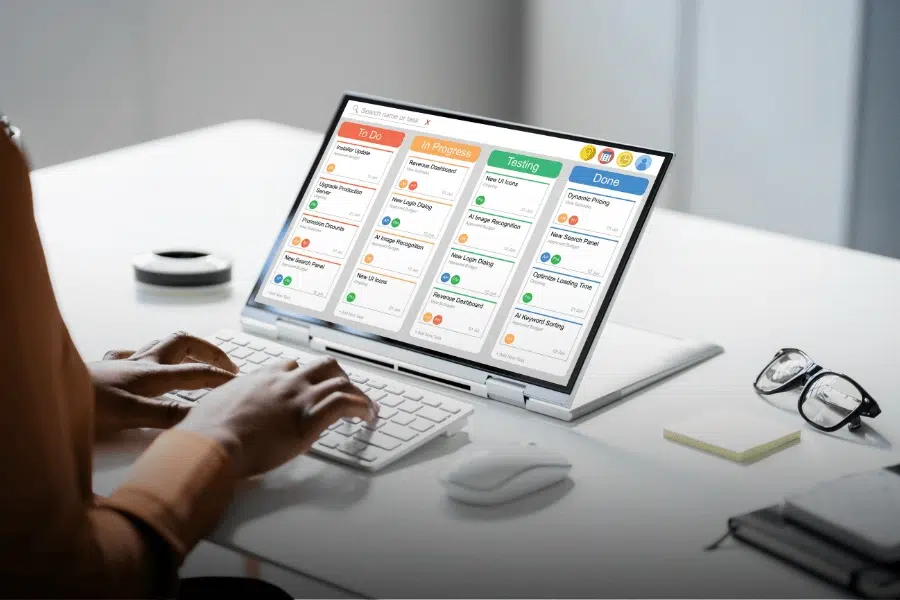
Appointment scheduling software revolutionizes how service businesses manage client interactions. Customers appreciate the convenience of booking appointments outside business hours, while businesses benefit from reduced no-shows through automated reminders. Professional service providers can showcase their expertise through detailed service descriptions and pricing transparency.
Online booking systems capture client information automatically, creating comprehensive customer profiles without manual data entry.
24/7 Online Booking
Traditional phone-based appointment booking limits customers to business hours and creates bottlenecks during peak calling times. Appointment scheduling software enables round-the-clock booking through user-friendly online interfaces that showcase available time slots, service options, and pricing information. Clients can book immediately when they’re ready to commit, reducing the likelihood of lost opportunities.
- Display real-time availability across all service providers
- Accept payments at time of booking
- Collect client information and preferences automatically
- Send instant booking confirmations via email and SMS
Automated Reminder Systems
No-shows cost service businesses significant revenue and disrupt carefully planned schedules. Scheduling platforms reduce no-show rates by up to 90% through automated reminder sequences that reach clients via their preferred communication channels. Customizable reminder templates maintain your brand voice while ensuring clients receive timely notifications about upcoming appointments.
- Send reminders via email, SMS, and phone calls
- Customize reminder timing and frequency
- Include appointment details and preparation instructions
- Allow clients to reschedule directly from reminder messages
Resource and Project Management
Project scheduling software brings order to complex initiatives involving multiple team members, deadlines, and resource constraints. These platforms visualize project timelines, identify potential bottlenecks, and automatically adjust schedules when priorities shift. Construction scheduling software specifically addresses industry challenges like equipment coordination, weather delays, and subcontractor management.
Resource conflicts become visible immediately, allowing project managers to make informed decisions about timeline adjustments and resource reallocation.
Visual Project Timelines
Complex projects often fail due to poor timeline visualization and inadequate dependency tracking. Project scheduling software creates interactive Gantt charts and timeline views that show task relationships, critical paths, and resource assignments. Team members understand their role in the larger project context, while managers can quickly identify schedule risks and optimization opportunities.
- Create interactive Gantt charts with drag-and-drop functionality
- Identify critical path dependencies automatically
- Track project progress against original timelines
- Generate progress reports for stakeholder communication
Equipment and Resource Allocation
Scheduling software for construction and other resource-intensive industries prevents double-booking of expensive equipment and specialized personnel. These platforms track resource availability across multiple job sites, optimize utilization rates, and provide cost visibility for better project profitability. Automated alerts notify managers when resources become available or when conflicts arise.
- Track equipment location and maintenance schedules
- Optimize resource utilization across projects
- Monitor resource costs against project budgets
- Receive alerts for resource conflicts and availability
Automation and Smart Reminders
Modern scheduling apps leverage artificial intelligence to learn from your patterns and preferences. These systems suggest optimal meeting times, automatically reschedule conflicting appointments, and send personalized reminders that improve attendance rates. Integration capabilities connect scheduling platforms with existing business tools, creating seamless workflows that eliminate manual data entry.
Smart automation reduces administrative overhead while improving the reliability and professionalism of your scheduling processes.
AI-Powered Scheduling Optimization
Traditional scheduling relies on manual decision-making that doesn’t account for patterns, preferences, or productivity cycles. AI-enhanced scheduling software analyzes historical data to suggest optimal meeting times, identifies scheduling patterns that lead to better outcomes, and automatically adjusts recommendations based on participant feedback. These systems learn continuously, becoming more accurate over time.
- Analyze meeting success rates by time and participant
- Suggest optimal scheduling based on productivity patterns
- Automatically propose alternative times for conflicts
- Learn from user preferences and feedback
Workflow Integration
Isolated scheduling tools create data silos and require manual information transfer between systems. Comprehensive scheduling platforms integrate with CRM systems, project management tools, and communication platforms to create unified workflows. When someone books an appointment, the system automatically creates customer records, sends team notifications, and updates project timelines without manual intervention.
- Sync with popular CRM and project management platforms
- Automatically create customer records from bookings
- Update team calendars and project timelines simultaneously
- Generate invoices and payment requests automatically
| Integration Type | Business Benefit | Automation Examples | ROI Impact |
|---|---|---|---|
| CRM Integration | Unified customer data | Auto-create contacts, update records | High |
| Payment Processing | Reduced billing admin | Auto-generate invoices, process payments | High |
| Communication Tools | Streamlined notifications | Send updates via Slack, Teams | Medium |
| Analytics Platforms | Performance insights | Track booking rates, no-shows | Medium |
Additional Scheduling Solutions to Consider

Beyond the primary scheduling software categories, several specialized platforms address specific business needs and use cases. These solutions complement traditional scheduling tools by offering unique features for particular industries or workflow requirements. Understanding these options helps you build a comprehensive scheduling ecosystem that addresses all aspects of your time management needs.
Trafft
Trafft specializes in appointment booking for service-based businesses with complex scheduling requirements. The platform excels at managing multiple service providers, locations, and booking rules within a single system.
Key Features
- Multi-location appointment management
- Advanced booking rules and restrictions
- Automated payment processing integration
- Customizable booking forms and workflows
- Comprehensive reporting and analytics dashboard
Display services, schedule, and availability on your free booking page, and let customers book appointments at their convenience 24/7.


Zoho
Zoho Bookings integrates seamlessly with the broader Zoho business suite, making it ideal for companies already using Zoho CRM or other Zoho applications. The platform provides professional scheduling capabilities with strong customization options.
Key Features
- Native integration with Zoho CRM and other Zoho apps
- Customizable booking pages and branding options
- Multi-language support for global businesses
- Advanced calendar synchronization capabilities
- Built-in payment processing and invoicing
A unique and powerful suite of software to run your entire business, brought to you by a company with the long-term vision to transform the way you work.

ClickUp
ClickUp combines project management with scheduling capabilities, offering a comprehensive workspace for teams that need both task management and calendar coordination. The platform serves as an all-in-one solution for project-driven organizations.
Key Features
- Integrated project management and scheduling tools
- Multiple calendar views including Gantt charts
- Time tracking and productivity monitoring
- Advanced automation and workflow capabilities
- Extensive third-party integrations and API access
Work smarter as a team with real-time chat. Tag individuals or groups, assign comments for action items, and link tasks to get more done together.

Final Thoughts
Scheduling software transforms chaotic calendar management into streamlined, automated workflows that save time and reduce stress. From personal productivity gains to comprehensive business operations management, these tools eliminate manual coordination while improving reliability and professional presentation. The right scheduling platform becomes an invisible assistant that handles routine coordination tasks, freeing you to focus on higher-value activities that drive real results.
We hope that these fifteen ways to use scheduling software have given you ideas for how to improve your workflow. We also hope that it will help you get more done. If you want to learn more, you can read our other blogs.
Frequently Asked Questions
What is the best scheduling software?
The best scheduling software depends on your specific needs, but Calendly leads for general appointment booking, while Connecteam excels for employee scheduling and ClickUp works well for project-based scheduling.
What is a scheduling software?
Scheduling software is a digital tool that automates the process of booking appointments, managing calendars, coordinating team schedules, and organizing time-based activities for individuals and businesses.
Is Excel a scheduling software?
Excel can create basic schedules through spreadsheets, but it lacks the automation, real-time updates, and integration capabilities that dedicated scheduling software provides for efficient time management.
What is the 7 schedules app?
7shifts is an employee scheduling app designed specifically for restaurants and hospitality businesses, offering shift management, labor cost tracking, and team communication features.
Can ChatGPT create a schedule?
ChatGPT can help plan schedules and suggest time management strategies, but it cannot directly integrate with calendars or automate booking processes like dedicated scheduling software.




