

Managing team knowledge and streamlining workflows are more critical than ever. ClickUp Brain, an AI-powered enhancement to the ClickUp platform, promises to centralize intelligence, automate routine tasks, and enhance collaboration—all within a single, integrated ecosystem. But how does it compare to traditional knowledge bases that many teams still rely on?
This guide compares ClickUp Brain with conventional systems across key dimensions like workflow integration, scalability, pricing, and team collaboration. Plus, we highlight complementary tools like Archbee and HubSpot to help you find the best solution for your unique organizational needs.
Key Takeaways
- ClickUp Brain boosts productivity with AI-driven automation and insights.
- It unifies tasks, docs, and wikis into one searchable workspace.
- Traditional knowledge bases lack real-time updates and scalability.
- Tools like Archbee, Process Street, and HubSpot offer strong alternatives.
- It’s $9–$13 pricing is justified by all-in-one functionality.
ClickUp Brain vs. Traditional Knowledge

Source: Canva
Choosing between ClickUp Brain and traditional knowledge bases means evaluating workflow integration, user experience, scalability, pricing, and team intelligence. Brain’s AI serves as an AI writer for work and AI writing assistant, offering smart suggestions and AI summary features—saving you time through every step of the process.
1. Integration with Workflows
Integration with workflows determines how seamlessly a knowledge tool fits into daily tasks, enhancing productivity and efficiency.
ClickUp Brain:
- ClickUp Brain is deeply embedded within the ClickUp platform, connecting tasks, documents, people, and wikis into a single, searchable workspace.
- Users can ask natural language questions about tasks, projects, or company policies, receiving instant, context-aware answers, thereby eliminating the need for manual searches through disparate documents or folders.
- It automates routine tasks (such as generating subtasks, summarizing meetings, and drafting updates) and suggests relevant information or follow-up actions based on context, deadlines, or user roles.
- Real-time collaboration is enhanced through shared prompts, AI-powered notetaking, and dynamic wikis that serve as the organization’s “source of truth.”
Traditional Knowledge Bases:
- Typically function as static repositories of written content (articles, FAQs, PDFs), relying on keyword search and manual navigation.
- Integration with workflows is often limited; users must switch between work tools and the knowledge base, disrupting productivity.
- Updates and maintenance require manual oversight, making it challenging to keep content current in fast-paced or complex environments.
2. User Experience and Collaboration
User experience and collaboration significantly impact how effectively team members interact with information and with one another.
ClickUp Brain:
- Provides personalized, role-specific insights—tailored answers and summaries based on user history, preferences, or organizational position.
- AI-powered chat and notetaking enable conversational, interactive knowledge retrieval, reducing friction in finding and sharing information.
- Built-in collaboration tools, including real-time editing, @mentions, and permission controls, ensure seamless teamwork and secure knowledge sharing.
- Summarizes long threads, documents, or meetings, allowing users to catch up or extract key points without extensive reading.
Traditional Knowledge Bases:
- Offer a “one-size-fits-all” experience: every user receives identical information, irrespective of expertise or specific needs.
- Interaction is static, primarily text-based, and requires manual searches without proactive guidance or follow-up.
- Collaboration is typically limited to document sharing or basic commenting, lacking integrated real-time collaboration features.
3. Centralization and Scalability
Centralization and scalability determine a tool’s ability to manage and evolve organizational
knowledge as teams grow effectively.
ClickUp Brain:
- Acts as a centralized intelligence hub, consolidating data from chats, projects, documents, and wikis, making all organizational knowledge instantly accessible.
- AI analyzes usage patterns, recommends content updates, and identifies knowledge gaps, ensuring the knowledge base evolves in response to the team’s needs.
- Scales efficiently with growing teams and data volumes, using AI to extract insights and maintain relevance as information expands.
Traditional Knowledge Bases:
- Centralization is limited to manually entered and organized information; maintaining accuracy as the organization grows becomes challenging.
- Scalability is hindered by manual processes for content creation, review, and updating, which increase the risk of outdated or duplicated information.
- Fundamental or absent data analysis and reporting require additional tools or manual effort to extract actionable insights.
4. Pricing and Accessibility
Pricing and accessibility influence the adoption and affordability of knowledge management tools across diverse teams.
ClickUp Brain:
- Pricing is dynamic, typically ranging from $9 to $13 per user per month as an add-on to ClickUp’s premium plans.
- The all-in-one design reduces the need for multiple subscriptions, consolidating project management, collaboration, and knowledge management.
- Offers unlimited member additions per plan and provides onboarding support, suitable for teams of all sizes.
Traditional Knowledge Bases:
- Pricing models vary significantly, often based on the number of users, storage, or features, providing predictability for basic, standalone solutions.
- Integration with other workflow or project management tools may be required, potentially increasing total ownership costs.
5. Enhancing Team Intelligence
The effectiveness of centralizing and enhancing team intelligence determines a tool’s practical impact on team productivity and knowledge utilization.
ClickUp Brain:
- Leverages AI to centralize knowledge and make it actionable, allowing users to retrieve, generate, and update information contextually, boosting productivity.
- It offers personalized responses, automates routine tasks, and delivers real-time insights, which is advantageous in dynamic environments.
- Teams report improved collaboration, faster onboarding, and reduced reliance on multiple disconnected tools.
Traditional Knowledge Bases:
- Compelling for static, well-defined processes with infrequent changes but struggle with complexity, rapid updates, and personalized or contextual responses.
- The value diminishes in large, distributed, or rapidly evolving teams due to manual upkeep and a lack of integration, resulting in knowledge silos and inefficiencies.
The world's first neural network connecting tasks, docs, people, and all of your company’s knowledge with AI.


Summary Table
The table below compares ClickUp Brain, an AI-powered knowledge solution, and traditional knowledge bases. It helps any project manager™ or team understand key differences in integration, collaboration, and scalability. Trusted by users and 2 million teams, ClickUp Brain brings AI-driven knowledge management anywhere in your workspace.
| Feature/Aspect | ClickUp Brain (AI-Powered) | Traditional Knowledge Base |
| Workflow Integration | Deep, real-time, contextual | Limited, manual navigation |
| Personalization | Role/user-specific, AI-driven | One-size-fits-all |
| Collaboration | Real-time, integrated, multi-modal | Basic, often static |
| Knowledge Centralization | Unified, dynamic, self-updating | Manual, risk of silos |
| Scalability | High, automated insights and updates | Manual, becomes cumbersome at scale |
| Pricing | $9–$13/user/month (add-on, dynamic) | Varies, often less for basic features |
| Maintenance | Automated, AI-suggested updates | Manual, time-consuming |
| Accessibility | Multi-modal (text, chat, voice, summaries) | Primarily text-based |
Alternatives and Complements to ClickUp Brain

Source: Canva
ClickUp Brain offers a powerful AI-driven way to integrate workflows and manage team intelligence. It gaps and connects the dots across tasks, conversations, and docs, centralizing internal knowledge. Unlike other platforms, it connects the dots across your team’s operations, organizing the dots across your work for better alignment and faster action.
These tools can serve as alternatives or complementary solutions depending on your team’s size, structure, and specific needs:
Archbee

Source: Archbee
Archbee is a modern documentation platform for engineering and product teams to centralize technical knowledge. It helps people in your workspace collaborate on
- Wikis
- Product docs, and
- Onboarding guides in one place.
In a world where tools are everywhere, Archbee bridges the gaps and connects scattered data—saving you time through every documentation task and supporting your team time through every step of the workflow.
With real-time editing, API docs, and a user-friendly interface, Archbee is a strong alternative or companion to ClickUp Brain for deep technical documentation.
Key Features:
- Real-time collaborative documentation with version control
- API docs integration with Swagger/OpenAPI
- Custom domains and access control for internal or public sharing
- Powerful search and organization tools for large teams
Write and publish documentation that becomes the trusted source for instant answers with AI.

Process Street

Source: Process Street
While known for workflow management, Process Street also supports centralized knowledge within your organization through checklist-based documentation—ideal for SOPs, audits, and recurring task or doc processes.
It complements ClickUp Brain well. ClickUp Brain is the first AI-powered tool to unify team knowledge by answering questions instantly when opening a task or document. Brain is the first AI to offer this level of context-aware support, priced per workspace member per month, making tools valuable for structured, intelligent workflows.
Key Features:
- Interactive checklists and workflow automation
- Conditional logic and approvals for complex processes
- Templates for SOPs and recurring tasks
- Collaboration tools with task assignments and tracking
Process Street is a user-friendly, no-code platform that helps teams efficiently manage recurring tasks, streamlining workflows and improving productivity without the need for technical skills.

Monday.com
Source: Monday.com
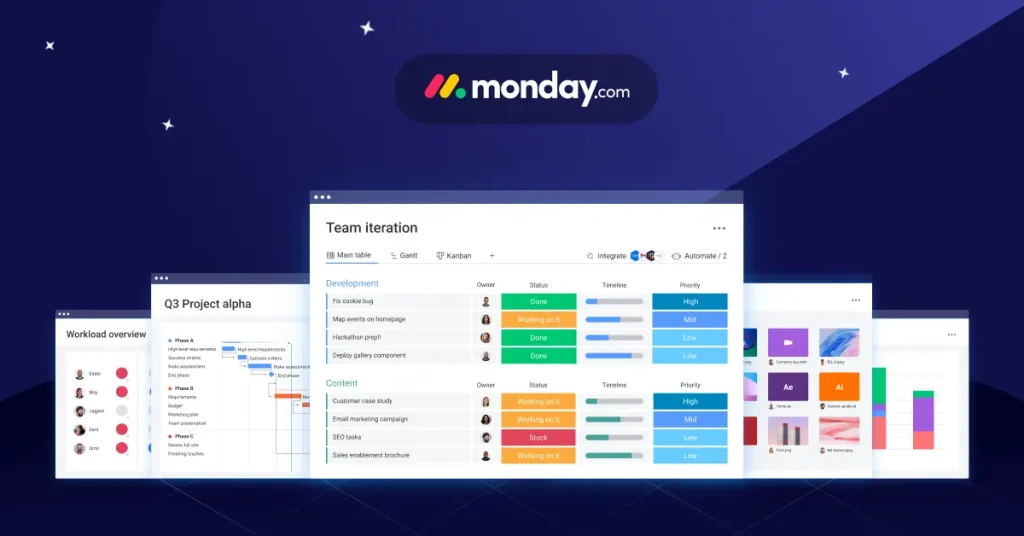
Monday.com is a versatile Work OS for project management, team collaboration, and workflow tracking. While not a pure knowledge tool, it helps reduce silos by centralizing work and communication.
Though flexible and visual, it lacks the neural network that connects projects or the ability to ask questions about tasks, key strengths found within ClickUp. It also doesn’t offer a feature in ClickUp that can quickly summarize updates or documents. Still, Monday.com fits well in use cases focused on visibility, coordination, and customizable workflows.
Key Features:
- Customizable dashboards and workflow boards
- Integration with tools like Google Drive, Slack, and GitHub
- Automation for task assignments, reminders, and status updates
- Centralized communication and file sharing across projects
Make data-driven decisions, collaborate efficiently, and track progress with software that adapts to your way of working

HubSpot

Source: hubspot
HubSpot’s Service Hub offers a dedicated knowledge base for internal teams and customer-facing content. It supports prebuilt articles, FAQs, and AI-generated help docs, which can be shared privately or publicly.
It pairs well with ClickUp Brain integration, aligning support and internal docs. For teams exploring ClickUp Brain pricing or seeking a ClickUp Brain review, HubSpot complements ClickUp’s collection of conversational tools and expanding features available.
With this setup, ClickUp is leapfrogging traditional systems, streamlining knowledge sharing across platforms.
Key Features:
- Easy-to-use article editor and categorization system
- SEO optimization tools for public-facing knowledge bases
- Integrated analytics to track performance and usage
- Seamless integration with HubSpot CRM and customer service tools
Transform your business into a revenue generating machine by creating delightful customer experiences.

Conclusion
ClickUp Brain outperforms traditional knowledge bases in workflow integration, scalability, and AI-driven insights. It simplifies managing summaries and updates, reduces work about work, and provides AI progress updates directly tied to docs and tasks. However, depending on team needs, tools like Archbee, Process Street, Monday.com, and HubSpot can serve as effective alternatives or supplements, offering flexibility, structured documentation, and integration capabilities that support project managers in centralizing team intelligence and enhancing collaboration.
Let Softlist.io streamline your search. With clear, unbiased reviews and practical insights, we help you discover the Top 10 Workflow Management Software—no hassle, no guesswork—just confident, well-informed decisions tailored to your team’s needs.
FAQs
How Does ClickUp Brain Improve Workflow Efficiency?
ClickUp Brain automates tasks, provides contextual suggestions, and reduces manual effort, streamlining team workflows and boosting productivity. It enhances communication through voice clips, delivers real-time progress updates, and can transcribe meeting notes or standups for seamless collaboration.
With ClickUp help built into the platform, teams can easily manage tasks and docs while receiving role-based insights. Let ClickUp AI handle repetitive work, powered by smart ClickUp AI tools that boost efficiency across the board.
How Does It Centralize Knowledge Better?
It unifies tasks, documents, chats, and wikis into one searchable hub using role-based AI and generative AI, offering personalized responses, AI-written project summaries, and the ability to summarize tasks and surface action items. With its AI writing assistant—essentially an AI writer for work—it provides faster access to information, powered by innovations stemming from the first AI neural network models.
Is ClickUp Brain Worth the Price?
Users find its $9–$13/month pricing fair, especially as it consolidates multiple tools like an AI writer, an AI project manager, and ClickUp AI prompts, boosting team efficiency within the ClickUp ecosystem.
By introducing ClickUp Brain, teams benefit from AI from anywhere in ClickUp, leveraging advanced AI models seamlessly integrated into ClickUp AI, also known as ClickUp Brain AI or ClickUp AI Brain, making using ClickUp more intelligent and productive than ever.
How Well Does ClickUp AI Manage Information?
ClickUp AI, part of the world’s first neural network connecting tasks, docs, and people, effectively summarizes meetings, threads, and docs while identifying key actions and next steps to simplify project tracking. With advanced AI features and one AI to replace fragmented tools, users can use ClickUp AI to streamline workflows effortlessly.
According to a recent ClickUp Brain review, its intuitive design—powered by the Brain’s AI—offers unmatched utility. Curious about cost? Check out ClickUp Brain pricing to explore the value it brings through this cutting-edge neural network solution.
Can It Replace Traditional Knowledge Bases?
Yes, ClickUp AI Brain can replace or enhance traditional systems by offering AI-powered updates, seamless ClickUp Brain integration, and centralized, real-time access to your company’s knowledge with AI. Acting as an AI knowledge manager, it allows teams to ask AI questions, automate standups and team updates, and leverage AI tools like ChatGPT to streamline workflows through ClickUp AI.




