

Short-form video content dominates social media platforms worldwide, with creators producing millions of clips daily across TikTok, Instagram Reels, and YouTube Shorts. Traditional video editing requires hours of manual work, technical expertise, and expensive software subscriptions that many content creators cannot afford. AI video editing tools are revolutionizing this landscape by automating complex tasks, reducing production time, and making professional-quality editing accessible to everyone. AI video editing tools are increasingly recognized for their potential.
Key Takeaways
- AI video editors reduce editing time by up to 80% through automated features like scene detection and audio synchronization.
- Free AI video generator tools like DaVinci Resolve and InVideo AI provide professional-grade editing without upfront costs.
- Best AI video editing software includes intelligent features such as auto-captioning, background removal, and voice cloning.
- AI video editor online free platforms eliminate the need for powerful hardware or software installations.
- These tools democratize content creation by making advanced editing techniques available to beginners and professionals alike.
Understanding the capabilities and benefits of AI-powered editing solutions helps creators choose the right tools for their content strategy.
What Are AI Video Editors and Their Core Features
Source: Unsplash by Onur Binay
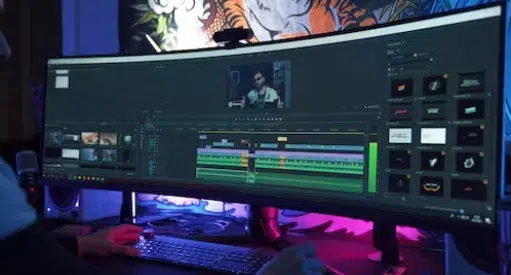
AI video editors use machine learning algorithms to automate traditionally manual editing tasks, from cutting clips to adding effects and transitions. These platforms analyze video content, detect scenes, identify faces, and apply editing decisions based on learned patterns from thousands of professionally edited videos. The technology transforms raw footage into polished content with minimal human intervention.
Modern AI video editing software incorporates several groundbreaking features that streamline the creative process. Auto-editing algorithms analyze footage and create rough cuts based on music beats, scene changes, or spoken content patterns. These innovative features are essential for modern editing workflows.
Intelligent Audio Processing
AI-powered audio tools automatically remove background noise, balance sound levels, and synchronize audio with video tracks. Voice cloning technology creates realistic voiceovers in multiple languages without recording new audio. These features save hours of manual audio editing work.
Automatic transcription generates accurate captions and subtitles in real-time. The AI recognizes speech patterns and converts them to text with impressive accuracy rates above 95%.
Visual Enhancement Capabilities
Smart background removal eliminates green screens and replaces backgrounds with AI-generated environments or stock footage. Color correction algorithms analyze lighting conditions and automatically adjust brightness, contrast, and saturation for optimal visual appeal. Face detection technology tracks subjects throughout clips and applies consistent effects.
Object recognition identifies elements within frames and suggests relevant graphics, text overlays, or transitions. These visual enhancements create professional-looking content without advanced technical skills.
Let’s explore how these features translate into tangible benefits for content creators across different industries and skill levels.
Speed and Efficiency Benefits That Transform Workflows

Source: Unsplash by Annie Spratt
AI video editors dramatically reduce production timelines by automating repetitive tasks that traditionally consume hours of manual work. Content creators report completing projects 5-10 times faster when using AI-powered editing tools compared to conventional software. The technology handles mundane tasks like syncing audio, cutting dead space, and applying basic color correction automatically.
Batch processing capabilities allow creators to edit multiple videos simultaneously using the same AI settings and preferences. This feature proves invaluable for social media managers handling dozens of clips daily.
Automated Content Generation
AI video generator tools create entire videos from text to video using AI prompts, eliminating the need for filming original footage. Users input scripts or topics, and the AI selects appropriate stock footage, adds voiceovers, and applies transitions to produce complete videos. This process reduces video creation time from days to minutes.
Template-based editing accelerates production by providing pre-designed frameworks for common video types like tutorials, product demos, or social media posts. Creators simply replace placeholder content with their materials.
Real-Time Preview and Rendering
Cloud-based AI video editor online free platforms process edits in real-time without taxing local computer resources. Users preview changes instantly without waiting for lengthy rendering processes. This immediate feedback loop enables faster creative decisions and iteration cycles.
Smart rendering only processes changed sections of videos rather than re-rendering entire projects. This selective approach cuts export times by 70% or more compared to traditional editing workflows.
| Task | Traditional Editing Time | AI-Assisted Time | Time Savings |
|---|---|---|---|
| Basic Cut and Trim | 2-3 hours | 15-30 minutes | 85% |
| Audio Cleanup | 1-2 hours | 5-10 minutes | 90% |
| Caption Generation | 3-4 hours | 2-5 minutes | 95% |
| Color Correction | 1-2 hours | 10-15 minutes | 80% |
| Background Removal | 2-3 hours | 5-10 minutes | 90% |
These efficiency gains enable content creators to focus more time on strategy, storytelling, and audience engagement rather than technical editing tasks.
Enhanced Creativity Through AI-Powered Features

Source: iStock by Khanchit Khirisutchalual
Claude-based AI video editors can unlock creative possibilities that were previously limited to professionals with advanced technical skills and expensive equipment. Machine learning algorithms suggest creative transitions, effects, and styling options based on video content and trending formats across social platforms. These suggestions often inspire creators to explore new visual styles and storytelling techniques they might not have considered.
Smart content analysis identifies key moments in footage and recommends optimal cut points, dramatic pauses, and highlight segments. This guidance helps creators structure more engaging narratives without extensive editing experience.
- AI-generated music and sound effects that match video mood and pacing
- Automatic thumbnail creation with multiple design variations
- Dynamic text animations that sync with audio beats
- Style transfer effects that apply artistic filters consistently
- Scene reconstruction for impossible camera angles and perspectives
- Voice modulation for character creation and storytelling
Personalized Content Adaptation
AI algorithms analyze audience engagement data and suggest content modifications to improve performance on specific platforms. The technology recommends optimal video lengths, pacing adjustments, and visual elements based on platform-specific best practices. This data-driven approach helps creators tailor content for maximum reach and engagement.
Automated A/B testing creates multiple versions of the same video with different intros, music, or visual styles. Creators can test these variations to identify the most effective combinations for their target audience.
Moving beyond creative enhancements, AI video editing tools also deliver significant cost advantages for individuals and businesses.
Cost-Effectiveness and Accessibility Advantages
Source: iStock by Metamorworks
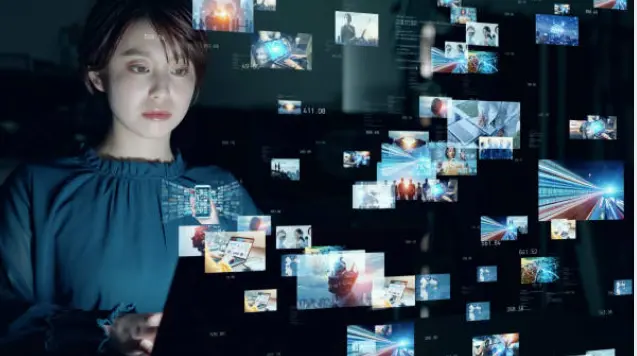
Best AI tools for video editing free eliminate the need for expensive software licenses, professional editing equipment, and specialized training programs. Many powerful AI video editors offer comprehensive free tiers that include advanced features like automated editing, stock footage libraries, and cloud storage. This accessibility democratizes video production for small businesses, educators, and individual creators with limited budgets.
Cloud-based processing removes hardware requirements that traditionally cost thousands of dollars for professional video editing workstations. Users can create high-quality content on basic laptops or even mobile devices.
Reduced Labor and Training Costs
Companies save significant money on hiring professional video editors or training existing staff on complex editing software. AI video editor free tools enable team members to create marketing content, training videos, and social media posts without specialized skills. The intuitive interfaces and automated features reduce learning curves from months to days.
Freelancers and agencies can handle more projects with smaller teams by leveraging AI automation for routine editing tasks. This scalability increases profit margins while maintaining quality standards.
Subscription vs. Traditional Software Costs
AI video editing platforms typically offer flexible subscription models starting at $10-30 per month compared to traditional software that costs $300-800 upfront plus annual upgrades. The subscription model includes regular feature updates, cloud storage, and technical support without additional charges. Users can scale plans based on project needs and cancel anytime without losing significant investments.
Free ai video generator options like DaVinci Resolve provide professional-grade capabilities without any cost, making them ideal for testing AI features before committing to paid plans. These free versions often include watermark-free exports and unlimited project creation.
Understanding how different AI video editing platforms compare helps creators choose the best tools for their specific needs and budgets.
Comparison of Top AI Video Editing Platforms

Source: iStock by NanoStockk
The AI video editing landscape includes numerous platforms, each offering unique strengths and targeting different user segments. Professional creators might prioritize advanced AI features and integration capabilities, while casual users focus on simplicity and free options. Evaluating platforms based on specific criteria helps identify the best fit for individual requirements.
We tested leading AI video editing software across multiple categories including ease of use, AI feature quality, pricing, and output capabilities. The results reveal significant differences in performance and value propositions.
| Platform | Best For | Key AI Features | Pricing | Pros | Cons |
|---|---|---|---|---|---|
| Descript | Podcast/Interview Editing | Transcript editing, AI avatars, Underlord co-pilot | $12-24/month | Text-based editing, voice cloning | Limited visual effects |
| Runway | Creative Professionals | Generative video, advanced AI tools | $15-35/month | Cutting-edge AI, professional quality | Steep learning curve |
| InVideo AI | Social Media Content | Text-to-video, auto-captioning | Free-$30/month | User-friendly, template library | Limited customization |
| DaVinci Resolve | Professional Editing | AI color matching, smart reframe | Free/$295 Studio | Professional features, no subscription | Resource intensive |
| PowerDirector | Beginners | AI effects, motion tracking | $5-17/month | Intuitive interface, good value | Limited advanced features |
Platform Selection Criteria
Choosing the right AI video editor depends on content type, technical skill level, and budget constraints. Social media creators benefit from platforms with built-in templates and automated posting features, while YouTube creators need advanced editing capabilities and longer export options. Business users prioritize collaboration tools and brand consistency features.
Consider platform ecosystem integration when selecting tools. Some AI video editors work seamlessly with existing marketing stacks, content management systems, and social media schedulers.
Performance and Output Quality
AI feature quality varies significantly between platforms, with some excelling at audio processing while others focus on visual effects. Testing free trials reveals which platforms deliver the best results for specific content types and quality requirements. Export options, resolution limits, and watermark policies also influence platform selection decisions.
Processing speed and reliability become critical factors for creators with tight deadlines or high-volume content needs. Cloud-based platforms generally offer more consistent performance than desktop applications.
Beyond the major platforms, several specialized tools complement AI video editing workflows and address specific creator needs.
Additional AI Video Creation Platforms
Several specialized platforms complement mainstream AI video editors by offering unique features and targeting specific use cases. These tools often integrate well with existing workflows and provide alternative approaches to AI-powered content creation. Each platform brings distinct advantages that may better suit particular creator needs or content types.
These platforms represent the diversity of AI video creation solutions available today. Users often combine multiple tools to create comprehensive editing workflows that maximize efficiency and creative potential.
InVideo
InVideo specializes in template-based video creation with AI-powered customization features that adapt content for different social media platforms automatically. The platform excels at transforming blog posts and articles into engaging video content using AI voiceovers and relevant stock footage selection.
Instantly turn your text inputs into publish-worthy videos. Invideo Al video generator simplifies the process, generating the script and adding video clips, subtitles, background music, and transitions.


Pictory Video Maker
Pictory focuses on converting long-form content like webinars and podcasts into short, shareable video clips using AI scene detection and highlight identification. The platform automatically generates multiple video variations from single source materials, making it ideal for content repurposing strategies.
Automatically create short, highly-sharable branded videos from your long-form content. Quick, easy & cost-effective. No technical skills or software downloads is required.

Animoto
Animoto combines AI-driven template selection with drag-and-drop simplicity, making professional video creation accessible to users with no editing experience. The platform’s AI analyzes uploaded content and suggests optimal layouts, transitions, and music choices based on video purpose and target audience.
Create videos that engage and impress. Animoto's drag-and-drop editing tools and visual effects make it easy. No training or experience necessary.
Veed.io
Veed.io offers browser-based AI video editing with real-time collaboration features and automated subtitle generation in over 100 languages. The platform’s AI tools include background noise removal, auto-captioning, and smart cropping that optimizes videos for different aspect ratios simultaneously.

Final Thoughts
AI video editing tools are transforming content creation by making professional-quality editing accessible, affordable, and efficient for creators at every level. These platforms reduce production time, unlock creative possibilities, and eliminate technical barriers that previously limited video content creation. The technology continues evolving rapidly, with new features and capabilities emerging regularly to meet growing creator demands.
Ready to experience the benefits of AI video editing firsthand? Start with free trials of platforms like DaVinci Resolve, InVideo AI, or Descript to discover which tools best fit your content creation workflow and creative vision.
Interested in trying it out? Start with a free AI video editor that offers user-friendly video editing and AI models, and see how AI technology can transform your experience on any video platform. Immerse yourself in a spectrum of topics tailored to your preferences, and acquire a more profound understanding of subjects that captivate your curiosity. Subscribe now!
Frequently Asked Questions
Which is the best AI tool for video editing?
The best AI video editing tool depends on your specific needs and skill level. Descript excels for podcast and interview editing with its transcript-based approach, while Runway offers cutting-edge generative AI features for creative professionals. For beginners, InVideo AI provides user-friendly templates and automation, while DaVinci Resolve delivers professional-grade features for free. Consider your content type, budget, and technical requirements when choosing.
Is there an AI that can edit a video for me?
Yes, several AI tools can automatically edit videos with minimal input. Descript’s Underlord feature acts as an AI co-pilot that can perform over 20 editing tasks automatically, including removing silences and cleaning audio. InVideo AI creates complete videos from text prompts, while Runway’s AI can generate and edit video content based on simple descriptions. These tools handle everything from basic cuts to advanced effects.
Is AI video editor good?
AI video editors are excellent for streamlining workflows and making professional editing accessible to everyone. They excel at automating repetitive tasks, reducing editing time by up to 80%, and providing creative suggestions. The quality has improved dramatically, with AI now handling complex tasks like background removal, voice cloning, and automatic color correction effectively. While they may not replace human creativity for complex projects, they’re invaluable for most content creation needs.
What is the No. 1 best video editor?
There’s no single “best” video editor as it depends on user needs. For AI-powered editing, Descript leads in transcript-based editing and voice features, while DaVinci Resolve offers the most comprehensive free professional tools with AI enhancements. Runway dominates generative AI video creation, and InVideo AI excels for social media content. The best choice depends on your content type, skill level, and specific AI feature requirements.
Can ChatGPT edit videos?
ChatGPT cannot directly edit videos as it’s a text-based AI model without video processing capabilities. However, ChatGPT can help with video editing by writing scripts, creating video outlines, suggesting editing techniques, and generating captions or descriptions. For actual video editing, you need specialized AI video editing software like the platforms discussed in this article that are designed specifically for multimedia processing and manipulation.




