

Product management tools must align with your company’s growth stage and specific workflow gaps. Pre-PMF teams need lightweight experimentation platforms, scaling companies require robust roadmapping capabilities, and enterprises demand advanced analytics with seamless stakeholder handoffs. The right choice depends on your team size, budget constraints, and integration requirements with existing development workflows.
Key Takeaways
- Product management tools should fit your company’s growth stage and workflow needs.
- Jira Product Discovery, Notion, Aha, and Airfocus each serve different team sizes and goals.
- Poor integrations often cause workflow delays and data loss.
- Consistent governance and standardized fields improve collaboration.
- Aha offers balance, Jira excels in research, Airfocus leads in visuals, and Notion boosts flexibility.
Pre-PMF Product Management Tools
Early-stage companies need tools that prioritize customer discovery, rapid experimentation, and lean validation processes. These platforms focus on gathering feedback, testing hypotheses, and maintaining flexibility as product direction shifts frequently. Budget constraints often limit options to freemium plans or low-cost alternatives that still provide essential functionality.
Jira Product Discovery

Image Source: atlassian.com
Jira Product Discovery is built for capturing ideas and customer feedback, then turning them into prioritized backlogs tightly connected to Jira Software. It gives pre-PMF teams a structured, lightweight way to validate what to build next without fragmenting workflows.
- Main limitation: Roadmapping and advanced analytics are less robust than specialized strategy suites like Aha!, so some scaling teams may need complementary tooling.
- Best for: Pre-PMF and growth-stage teams validating ideas directly alongside engineering delivery.
- Key strengths: Centralized idea capture, customer impact scoring, views and roadmaps tied into Jira issues. G2
- Pricing (check latest): Free plan for up to 3 creators with unlimited contributors; Standard from around $10 per creator/month with more capacity and features. Atlassian Community+2Atlassian+2
- Integrations: Deep native integration with Jira Software and Confluence for smoother discovery-to-delivery handoffs. Atlassian+1
Notion

Image Source: Notion
Notion acts as a flexible workspace for documentation, research, and lightweight databases, making it ideal for early teams that need a single place for interviews, PRDs, experiments, and specs without rigid structure. It adapts as product direction changes, supporting fast iteration and shared context.
- Best for: Pre-PMF and lean teams needing an all-in-one knowledge base, research hub, and simple tracking without heavyweight PM overhead.
- Key strengths: Custom databases for feedback and experiments, connected docs, wikis, and templates that keep discovery artifacts in one place.
- Pricing (check latest): Free plan for individuals; Plus from about $10/user/month (annual) and Business from about $20/user/month (annual), with Enterprise on custom terms. eesel AI+3Notion+3Super+3
- Main limitation: No native, opinionated product roadmapping or deep analytics—teams often pair it with dedicated PM or dev tools for end-to-end lifecycle management.
One tool for your whole company. Free for teams to try. Create your own labels, tags, owners, and more, so everyone has context and everything stays organized.


Scaling Stage Product Management Solutions
Growing companies require more sophisticated roadmapping capabilities, stakeholder communication tools, and process standardization across expanding teams. These platforms balance flexibility with structure, supporting multiple product lines while maintaining clear priority frameworks. Integration capabilities become crucial as teams adopt specialized tools for development, marketing, and customer success.
Aha!
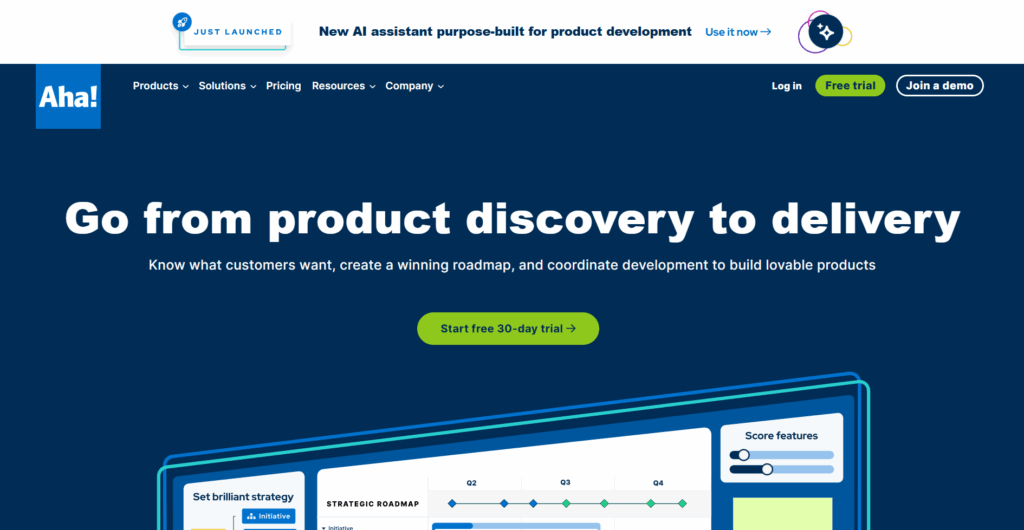
Image Source: aha.io
Aha! delivers robust roadmapping and strategy alignment for scaling teams that need clear visibility from vision to epics, releases, and features. It’s built for structured stakeholder communication, scenario planning, and tying product decisions to outcomes.
- Main limitation: Can feel heavyweight or complex for very small or early-stage teams that don’t yet need full-scale strategic governance.
- Best for: Scaling product orgs managing multiple roadmaps and stakeholders across product, engineering, and leadership.
- Key strengths: Visual roadmaps, goal and initiative mapping, dependency tracking, capacity planning, and strong stakeholder reporting views.
- Pricing (check latest): Aha! Roadmaps typically starts around $59/user/month, with higher tiers for advanced features and enterprise needs; other Aha! modules (Ideas, Whiteboards, Knowledge) are priced separately.
- Integrations: Native integrations with tools like Jira, Azure DevOps, GitHub, and Slack to connect strategy with delivery.
ProProfs Project

Image Source: proprofsproject.com
ProProfs Project offers a simple, accessible project management workspace that helps growing teams track tasks, deadlines, and resources without process overload. Its clean UI and quick onboarding suit teams that want structure fast at a low cost.
- Main limitation: Lacks specialized product management features (roadmapping, deep discovery, portfolio strategy), so it works better as a light PM/project layer than a full product ops system.
- Best for: Budget-conscious teams and agencies needing straightforward task, timeline, and resource tracking.
- Key strengths: Task dependencies, time tracking, basic reporting, collaboration, and support for multiple projects without steep learning curves.
- Pricing (check latest): Recent listings show entry plans starting around $2–$6 per user/month (often with free trials), significantly lower than the previously stated $39.97 flat rate.
Integrations: Connects with common tools (e.g., email, file storage) for basic workflow alignment.
Enterprise Product Management Platforms
Large organizations need sophisticated portfolio management, advanced customization options, and enterprise-grade security features. These platforms handle complex organizational structures, multiple stakeholder groups, and extensive integration requirements with existing enterprise software stacks. Compliance, audit trails, and administrative controls become essential considerations.
Airfocus

Image Source: Airfocus
Airfocus is a modular product management platform for organizations with complex portfolios that need customizable scoring, prioritization, and roadmap views. It helps teams align stakeholders by turning custom frameworks into clear, visual decisions instead of one-size-fits-all backlogs.
- Main limitation: More configuration-heavy than lightweight tools; may be overkill or too costly for small teams that don’t need deep portfolio governance.
- Best for: Mid-market and enterprise teams managing multiple products, themes, or OKRs with varying stakeholder needs.
- Key strengths: Custom scoring models, priority matrices, flexible roadmaps, lane & timeline views, and portfolio-level visibility with permissions suited to larger orgs. airfocus+1
- Pricing (check latest): Public listings show plans starting around $59/editor/month for core functionality, with advanced and enterprise tiers offered on a custom basis; always confirm current pricing on the official site. airfocus+2G2+2
- Integrations: Connects with Jira, Azure DevOps, GitHub, HubSpot, and other tools to sync delivery data into strategic views.
Advanced Jira Configurations

Image Source: atlassian.com
Advanced Jira configurations turn Jira from a simple issue tracker into an end-to-end product operations backbone through custom workflows, fields, automation, and integrations. At enterprise scale, it standardizes processes across squads while meeting demanding security, compliance, and reporting requirements.
- Main limitation: Power comes with complexity—effective use at scale often requires dedicated admins and clear governance to avoid cluttered schemes and plugin sprawl.Feature Comparison and Pricing Analysis
- Best for: Large organizations with mature DevOps practices that want product, engineering, and IT working in a unified system.
- Key strengths: Highly configurable workflows, advanced permissions, audit logs, automation, cross-project boards, and robust reporting when combined with apps/BI tools.
- Pricing (check latest): Offered via tiered Cloud Standard/Premium/Enterprise and Data Center licenses; costs vary widely by user count and recent 2025 price changes, so teams must model TCO from Atlassian’s current calculator.
- Integrations: Deep native links with Confluence, Bitbucket, Jira Product Discovery, and marketplace apps for test management, roadmapping, and ITSM.
Product Management Tools at a Glance
Comparing tools side by side makes it easier to match your product stack to growth stage, workflow gaps, and budget. The matrix below highlights each platform’s core fit, indicative starting price, standout strength, and key trade-off. Treat prices as approximate and always confirm current rates on official vendor pages.
| Tool | Best For | Starting Price* | Key Strength | Main Limitation |
|---|---|---|---|---|
| Jira Product Discovery | Pre-PMF validation & idea management | Free for up to 3 creators; paid from ≈ $10/creator/month | Tight integration with Jira for capturing, scoring, and shipping validated ideas | Less robust strategy/roadmapping vs dedicated suites |
| Aha! | Scaling teams with multi-roadmap strategy | From ≈ $59/user/month (Aha! Roadmaps) | Full-featured roadmaps, goals, capacity planning, stakeholder reporting | Can feel complex or heavy for small/early teams |
| Airfocus | Mid-market & enterprise product portfolios | From ≈ $59/editor/month; enterprise on custom plans | Custom scoring, flexible prioritization, portfolio-level visibility | Higher cost and configuration overhead for simpler teams |
| Notion | Flexible documentation & lightweight PM | Plus from ≈ $10/user/month; free for individuals | Adaptable workspace for PRDs, research, and discovery in one place | No native opinionated roadmapping or deep product analytics |
| ProProfs Project | Budget-conscious teams needing simple PM | From ≈ $2–$6/user/month (plan-dependent) | Simple interface, fast onboarding, core task & timeline tracking | Limited advanced/product-specific features |
| Advanced Jira Configs | Large orgs unifying product & engineering | Varies by Cloud/Data Center tier & user count | Highly configurable workflows, automation, and enterprise controls | Requires dedicated admin/governance; can become complex at scale |
*Approximate starting prices; always verify latest pricing with each provider.
Handoffs and Integration Gaps

Even with sophisticated platforms, many teams still experience friction when work moves from discovery to delivery to go-to-market. The problem is rarely “no tools” and more often “too many tools that don’t share enough context.”
Where Handoffs Break Down
- Discovery → Delivery: Ideas validated in tools like Jira Product Discovery or Aha! are not consistently pushed into dev backlogs with linked specs, acceptance criteria, and customer context, so engineers see tickets without “why.”
- Delivery → Marketing & CS: Roadmaps and release details often live in Jira, Aha!, or airfocus while marketing and customer teams operate in CRMs and campaign tools, leading to last-minute launches or misaligned messaging.
- Siloed Configurations: Even when integrations exist (Jira–Confluence, Aha!–Jira/Azure DevOps, airfocus–Jira/Azure DevOps), inconsistent field mapping, custom workflows, and manual sync rules cause partial or unreliable data flow.
How to Reduce Handoff Friction
- Choose tools with native two-way integrations to your core dev stack before adding niche apps.
- Standardize required fields (problem, impact, owner, status) so information survives tool hops.
- Assign an integration owner (RevOps/PM Ops/Platform team) to maintain connectors, audit syncs, and prevent silent failures.
Accurate configuration and governance—not just more tools—are what ultimately create seamless cross-functional handoffs.
Quick Picks and Recommendations

Best Overall for most teams balancing features and cost: Aha! provides comprehensive functionality without excessive complexity. Best for Research and Discovery: Jira Product Discovery excels at customer feedback integration and idea validation workflows. Best for Visual Roadmaps: Airfocus offers superior customization for complex prioritization needs and stakeholder communication.
Best for Rapid Experimentation: Notion’s flexibility supports changing requirements during product discovery phases. Teams should start with free trials to evaluate workflow fit before committing to annual contracts or expensive enterprise plans.
Who Should Pick What
- Pre-PMF startups: Jira Product Discovery (free) + Notion ($8/user) for comprehensive coverage under $100 monthly
- Scaling companies: Aha! for roadmapping with supplementary tools for specific gaps like user research or analytics
- Enterprise organizations: Airfocus or advanced Jira configurations with dedicated implementation support and training
- Budget-conscious teams: ProProfs Project for basic project management with potential upgrades as needs evolve
Alternative Platform Considerations
Several platforms compete directly with dedicated product management tools while offering broader functionality that may reduce tool sprawl. These alternatives often provide good value for teams already invested in specific ecosystems or requiring additional capabilities beyond pure product management.

Image Source: ClickUp
ClickUp
ClickUp positions itself as an all-in-one project management platform that can replace separate roadmapping and documentation tools through customizable views and templates. The platform appeals to teams wanting to consolidate multiple tools while maintaining product management functionality within a broader project management context.

Image Source: Monday.com
Monday.com
Monday.com focuses on visual workflow management, offering deep automation capabilities that compete with traditional project management platforms. The tool excels at cross-functional collaboration and process automation, making it attractive for teams prioritizing workflow efficiency over specialized product management features.
Image Source: Nifty
Nifty
Nifty combines roadmaps, tasks, docs, and discussions in a single interface, giving growing teams a simple way to connect product goals with day-to-day execution. It’s well-suited to teams that need a lighter alternative to enterprise PM suites without losing milestone visibility.

Image Source: Wrike
Wrike
Teamwork differentiates itself through client services features including time tracking and billing capabilities that traditional product management tools lack. The platform suits product teams working on client projects or consulting engagements where time tracking and resource billing integration provides additional value beyond standard product management functionality.
Conclusion
Product management tool selection depends on team stage, budget constraints, and integration requirements with existing workflows. Pre-PMF teams benefit from flexible, low-cost options like Jira Product Discovery, while scaling companies need comprehensive platforms like Aha! for stakeholder management. Enterprise organizations require customizable solutions like airfocus that handle complex portfolios and organizational structures effectively.
Ready to streamline your product operations and team collaboration? Discover the platforms that power smarter planning, faster delivery, and stronger alignment across every department. Visit Softlist.io to explore our Top Project Management Software guide — your roadmap to choosing tools that drive growth with clarity and precision.
FAQs
What Are The Top Product Management Tools?
The top product management tools often include platforms like Aha!, Productboard, Jira, and Trello. These tools cater to different needs across various stages of product development, from early-stage startups to large enterprises. At Softlist.io, we provide in-depth reviews and comparisons to help you find the best fit for your team’s unique requirements.
How Do I Choose The Best Product Management Tool?
Choosing the best product management tool involves assessing your team’s specific needs, budget, and workflows. Consider factors such as ease of use, integration capabilities, and key features that align with your objectives. Our expert guides at Softlist.io simplify this process by highlighting use-case fits and practical insights.
What Features Should I Look For In A Product Management Tool?
Key features to look for in a product management tool include roadmapping capabilities, user feedback integration, collaboration tools, and analytics. Additionally, consider tools that support agile methodologies and offer customization options. At Softlist.io, we emphasize the importance of these features in our comprehensive evaluations.
Are There Free Product Management Tools Available?
Yes, there are several free product management tools available, such as Trello, ClickUp, and Asana, which offer basic functionalities suitable for smaller teams or startups. However, for more advanced features, you may need to explore paid options. Softlist.io reviews these free tools to help you determine their fit for your needs.
What Is The Difference Between Product Management Tools And Project Management Tools?
Product management tools focus on the strategic aspects of product development, such as roadmapping, user feedback, and market research, while project management tools emphasize task management, resource allocation, and project timelines. Understanding these differences is essential, and our expert insights at Softlist.io can guide you in selecting the right tool for your goals.
Do These Tools Offer Free Trials?
Most platforms provide 14-30 day free trials with full feature access, though some require credit card information upfront. Jira Product Discovery and Notion offer permanent free plans with user limitations, while Aha! and airfocus provide trial periods for evaluation before paid commitments.
How Easy Is Data Portability Between Tools?
Export capabilities vary significantly between platforms, with some offering comprehensive CSV exports while others limit data extraction. Teams should verify export options during trials, especially for roadmap data, user feedback, and historical prioritization decisions that represent significant organizational investment.
Which Tools Support SSO and Enterprise Security?
Enterprise platforms like airfocus and Aha! include SSO integration, audit trails, and advanced user management in higher-tier plans. Smaller tools often lack comprehensive security features, making them unsuitable for organizations with strict compliance requirements or complex user access controls.




