

Tungsten Automation (formerly Kofax) is a global leader in intelligent document processing and workflow automation. With its rebranding, Tungsten continues to offer industry-trusted tools like OmniPage for OCR, InvoiceAgility for document capture, and Power PDF for productivity. With Tungsten automation as our new name, the company continues to be a global leader in intelligent document processing and process orchestration.
Tungsten’s solutions, including Intelligent Workflow Automation Power PDF and Tungsten InvoiceAgility, are designed to support customers and partners in achieving seamless business process automation. Don’t miss the opportunity to explore these robust tools to drive efficiency.
Read now to discover how Tungsten solutions can transform your operations.
Tungsten Automation Overview
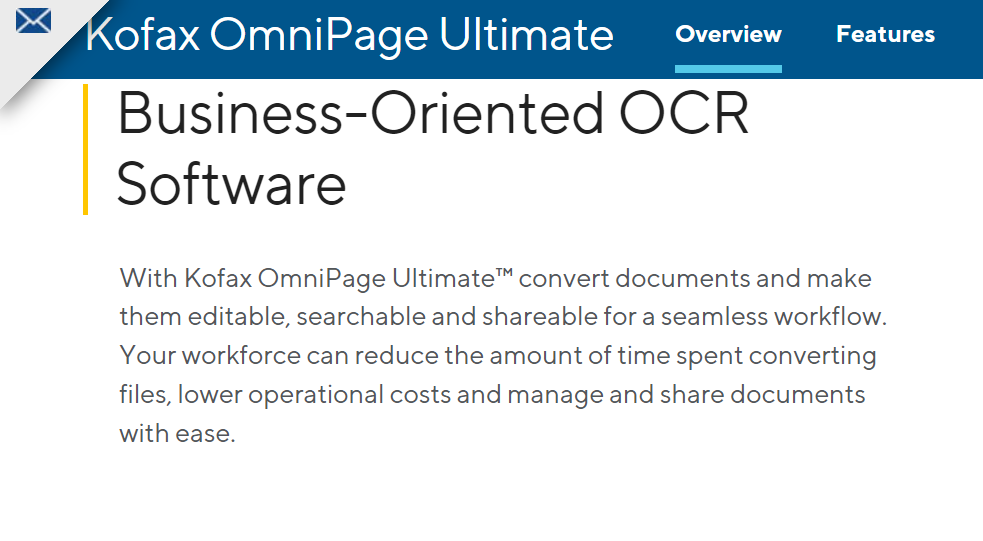
This converts scanned documents to any format and transports them over any network. This uses sophisticated OCR technology to extract text from complex documents. The OmniPage Ultimate software has a built-in scanner. The built-in scanner is fast compared to other available options today.

Once you’ve scanned your documents, you can convert them into editable text. The software allows you to import files from scanners, fax machines, and Websites. It also has a built-in OCR engine that allows users to convert images into editable text.
The user interface is very user-friendly. Even if you haven’t tried using OmniPage, they can still figure out how everything works!
What’s New in Tungsten OmniPage (2025 Update)
Tungsten OmniPage, previously known as Kofax OmniPage, has evolved significantly in 2025 with new capabilities designed to accelerate document automation and increase accuracy.
New capabilities include:
- PDF Compression – Reduce file size while maintaining fidelity.
- ICR (Intelligent Character Recognition) – Accurately capture handwritten characters.
- Barcode Recognition – Scan and process product or document barcodes.
- Image Pre-processing – Clean and enhance low-quality images for more accurate OCR.
- Custom Workflows – Route converted documents to the appropriate destinations automatically.
These upgrades are backed by AI-powered automation, with OmniPage now supporting over 100 global languages, real-time processing through server-based deployments, and mobile capture for on-the-go OCR tasks.
Key Features Of Tungsten Automation OmniPage Ultimate
PDF Search
Utilize eDiscovery Assistant to transform a single PDF.
Batch Processing
With unattended automation for real-time document processing, you may schedule large volumes of files for batch processing from folders or email.
Language Recognition
Documents may be processed, edited, and stored anywhere in the world. The software identifies more than 120 languages.
Improved Precision
The OCR accuracy of digital camera photos is exceptional. Document layout improvements You can reproduce your documents in multiple output formats.
Scanner Integration
Compatible with mobile scanners, desktop scanners, multifunction and all-in-one printers.
Compatible Programs
Numerous output formats are supported. It includes PDF, Microsoft Office, Corel WordPerfect, HTML, and ePub.
OmniPage Launchpad
OmniPage Launchpad OCR for any file type and network location. Archive documents and access them from any device.
Mobile Document Capture
Capture text using a digital camera or smartphone. Instantly convert images to text documents.
Pros Of Kofax OmniPage Ultimate

Advanced OCR Technology
The software utilizes advanced OCR technology. It recognize and extract text from various document formats.
Export Options
Users can export transformed text to Microsoft Word, Excel, HTML, and other formats.
User-Friendly Interface
The software’s user-friendly design makes it simple for users to operate.
Document Preparation Tools
Kofax OmniPage Ultimate contains document preparation and correction capabilities. It users to change and enhance the transformed text. You can avoid manual document processing, like the processing of image files.
Supports Many languages
The software’s compatibility with several languages makes it an excellent option for worldwide users.
Convert Images And Documents Fast
The program can quickly convert massive volumes of documents. It is an excellent option for enterprises that need to convert large documents.
Cons Of Kofax OmniPage Ultimate

The Price
Kofax OmniPage Ultimate is costly in comparison to other OCR software solutions.
Steep Learning Curve
The software has a steep learning curve which might take time to master.
Not Compatible With Mobile Devices
The program is not compatible with mobile devices.
Occasional Errors
It may make occasional errors when dealing with complicated documents.
Requires High-Quality Source Photos
The software requires high-quality source images to produce correct results. It might be problematic for users dealing with low-quality scans or photographs.
Pricing
- OmniPage Standard 18.0: $149
- OmniPage Ultimate 19.2: $499
How to Use OmniPage Effectively for Document Conversion
Mastering the intricacies of Kofax OmniPage can significantly streamline your document conversion processes, whether you’re working with PDF files, JPEG images, or even searchable PDFs. In 2023, the competition is stiff, with formidable alternatives like Adobe Acrobat, ABBYY FineReader, FreeOCR, ReadIRIS, and the open-source Tesseract all vying for a slice of the OCR market. But let’s focus on how to utilize OmniPage effectively.
For starters, if you’re dealing with a PDF document that you wish to convert to Word, OmniPage offers user-friendly options that make this task a breeze. The software also plays well with Adobe Acrobat, allowing for seamless transitions between the two when you need to manipulate your PDFs further.
For those looking to convert image files like JPEGs into searchable PDFs, OmniPage’s OCR capabilities excel at recognizing text within the image and creating a fully searchable and editable document. While ABBYY FineReader and ReadIRIS also offer robust features, OmniPage’s ease of use and advanced functionalities make it a viable option for many businesses.
Top OCR Software Features Comparison (2025)
The chart below compares the 2025 features of top OCR tools. As seen, Tungsten OmniPage offers the most robust set of automation features for enterprises needing scale, accuracy, and integration.

Feature comparison details:
- PDF Compression: Available in Tungsten OmniPage, Adobe Acrobat, and ABBYY FineReader; not available in Tesseract.
- Mobile Capture: Full support in Tungsten OmniPage and ABBYY FineReader; limited in Adobe Acrobat; not available in Tesseract.
- 100+ Language Support: Available in Tungsten, Adobe, and ABBYY; only partial support in Tesseract.
- Custom Workflow: Available in Tungsten and ABBYY; not available in Adobe or Tesseract.
- Barcode Recognition: Available in Tungsten and ABBYY; not available in Adobe or Tesseract.
- Server/API Integration: Available in Tungsten, Adobe, and ABBYY; not available in Tesseract.
This comparison makes it clear which OCR solutions offer the most comprehensive features for advanced digital document processing needs.
Why Consider an Alternative to OmniPage for Your OCR Needs?
Considering an alternative to Tungsten TotalAgility for your OCR needs can be beneficial for several reasons. While Tungsten TotalAgility offers robust automation for unmatched speed, there are other options that might better align with your organization’s digital transformation goals.
Exploring cloud-based solutions, for instance, could provide more actionable insights and flexibility. Additionally, newer OCR technologies might offer advanced features that can enhance your workflows and provide a more comprehensive solution. It’s worth taking the time to explore the latest offerings in the market.
One of the Great Omnipage Alternatives is Docparser
Docparser is an excellent alternative to Kofax for businesses looking for a reliable OCR software solution. With its advanced features, ease of use, and cost-effective pricing plans, Docparser can streamline your document processing workflows and help you save valuable time and resources. You may be dealing with invoices, contracts, or any other type of document, this powerful tool can automate the extraction of data and reduce errors while improving accuracy and efficiency. So if you want to increase productivity and stay ahead of the game, give Docparser a try today and experience its benefits firsthand!
Extract important data from Word, PDF and image files. Send to Excel, Google Sheets and 100’s of other formats and integrations.

Final Thoughts
As you transition to more efficient business operations, consider the benefits of automation for the unmatched speed offered by Tungsten Automation. You can stay ahead of the curve by integrating robotic process automation and intelligent automation software into your document management systems.
Tungsten Automation, a provider of intelligent optical character recognition and award-winning PDF solutions, delivers innovative solutions designed to reduce operational complexities. Ready to enhance your workflow? Explore Tungsten’s offerings and take the next step towards efficiency. Don’t miss out—start now.
Read our other informative blogs if you want to learn more about OCR software, and subscribe today!
FAQs
What Is Omnipage Ultimate and How Does It Benefit My Business Processes?
Omnipage Ultimate is a leading workflow automation software and solution designed to streamline your business processes. By leveraging intelligent automation, this tool can convert documents into editable files quickly, reducing manual data entry and errors. This automation software enables businesses to reduce costs and improve efficiency by automating repetitive tasks such as data extraction and invoice automation.
How Does Omnipage Ultimate Integrate with Other Automation Solutions?
Omnipage Ultimate seamlessly integrates with various workflow automation solutions, making it a versatile tool for businesses looking to enhance their AI-powered workflow automation. This automation software connects with other systems within your organization, ensuring smooth data transfer and processing, leading to optimized operations and further cost reductions.
Can Omnipage Ultimate Help with Invoice Automation?
Yes, Omnipage Ultimate excels in invoice automation by utilizing intelligent automation to capture and process invoice data accurately. This reduces manual input, accelerates payment cycles, and ensures compliance. It’s a crucial part of workflow automation software and solutions, offering businesses a way to reduce costs while enhancing productivity.
Why Should I Choose Tungsten Automation as Our New Automation Software Provider?
Choosing Tungsten Automation as our new provider of workflow automation software and solutions gives your business access to cutting-edge automation solutions like Omnipage Ultimate. With a focus on AI-powered workflow automation, Tungsten Automation offers comprehensive tools that streamline operations, reduce errors, and improve efficiency across various business processes. Don’t miss the opportunity to leverage these tools for better workflow automation.
How Can I Purchase Omnipage Ultimate on the Tungsten Marketplace?
Omnipage Ultimate can be easily purchased on the Tungsten Marketplace, where you’ll find the latest workflow automation solutions. By choosing this platform, you gain access to robust automation software that integrates seamlessly into your existing business processes. Explore the Tungsten Marketplace for tailored solutions that help your business reduce costs and optimize workflow automation.




